


What catalog ads are in 2026
Catalog ads build themselves from a product feed: each item's image, title and price, matched by Meta to people likely to want that item. They started out as dynamic ads, and the name has kept moving since. As of October 2026, Meta's catalog ads page says your product catalog now works across all sales campaigns rather than just one ad format, gives Advantage+ catalog ads as the former name and calls the format Products from your catalog. You connect the catalog once at the campaign level, then pick how the products are shown.
Whatever the label, the creative question is the same. In most catalog ads, the picture people see is the main image in your feed. If that image is a white-background packshot, so is your ad.
Why the feed image is the creative
Many shops fill their catalog with the photos from their product pages: a centred product, a white background, no text. Those are right for a product page and forgettable in a feed, because so many rivals' catalogs look the same. The fix is rarely a new campaign. It is better pictures in the feed.
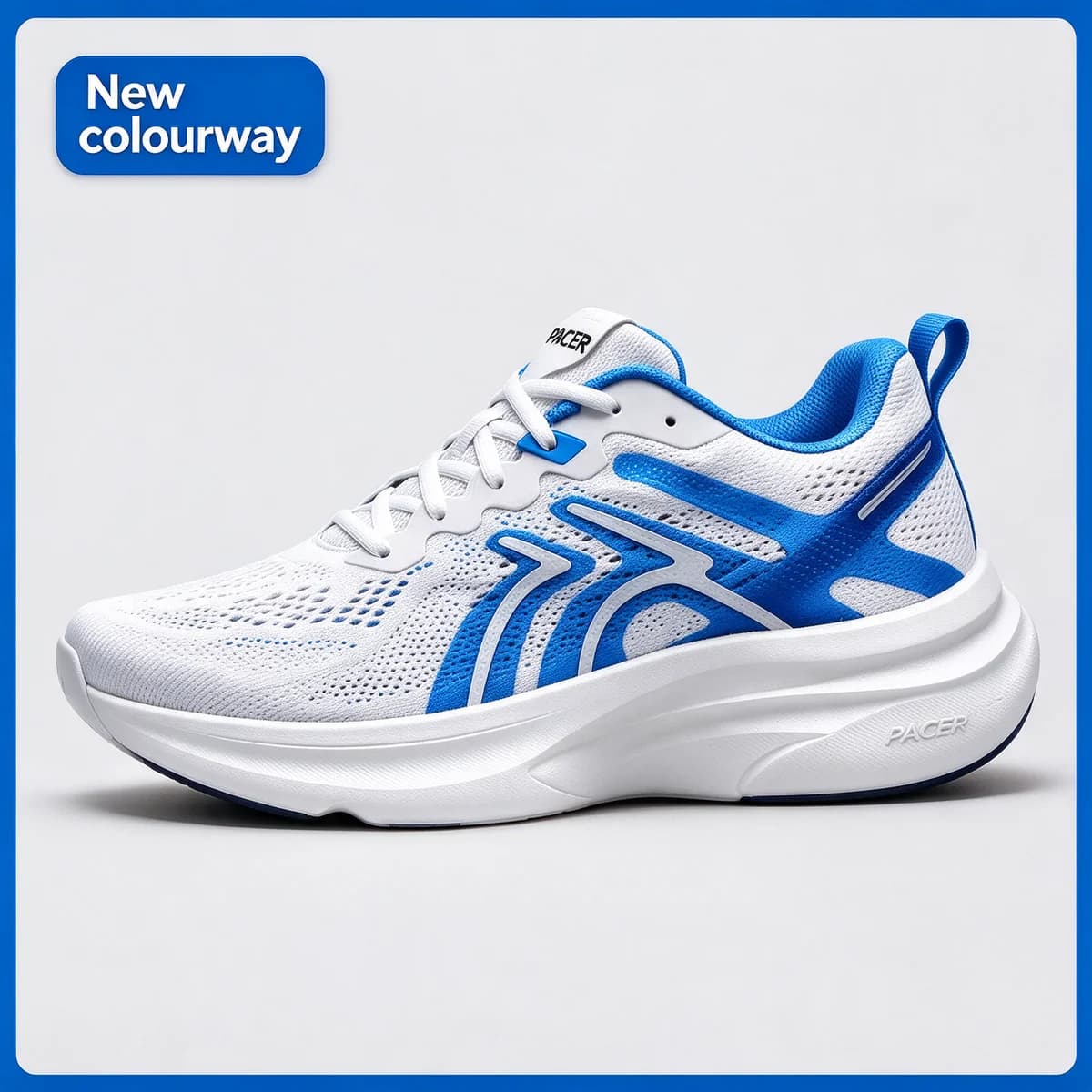
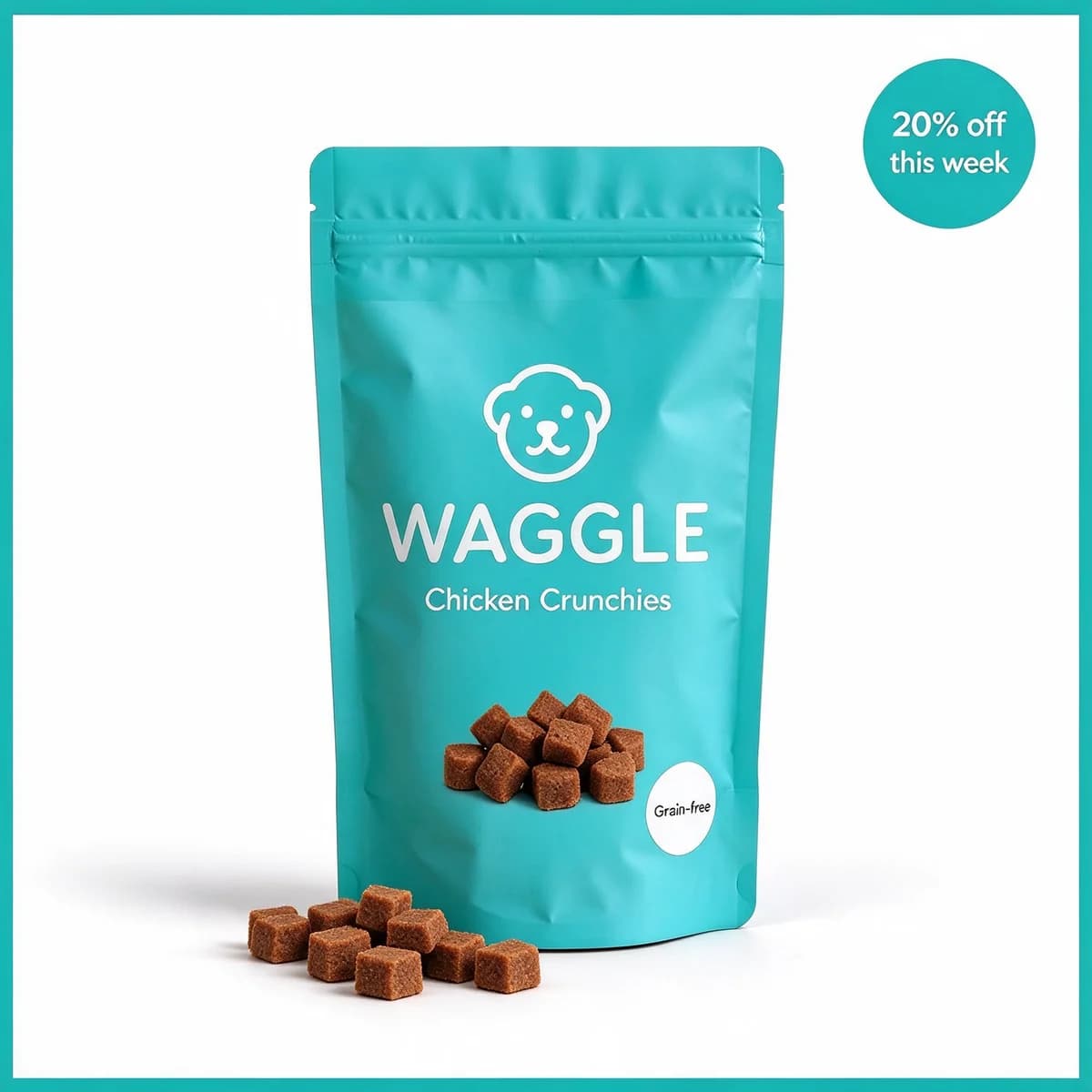
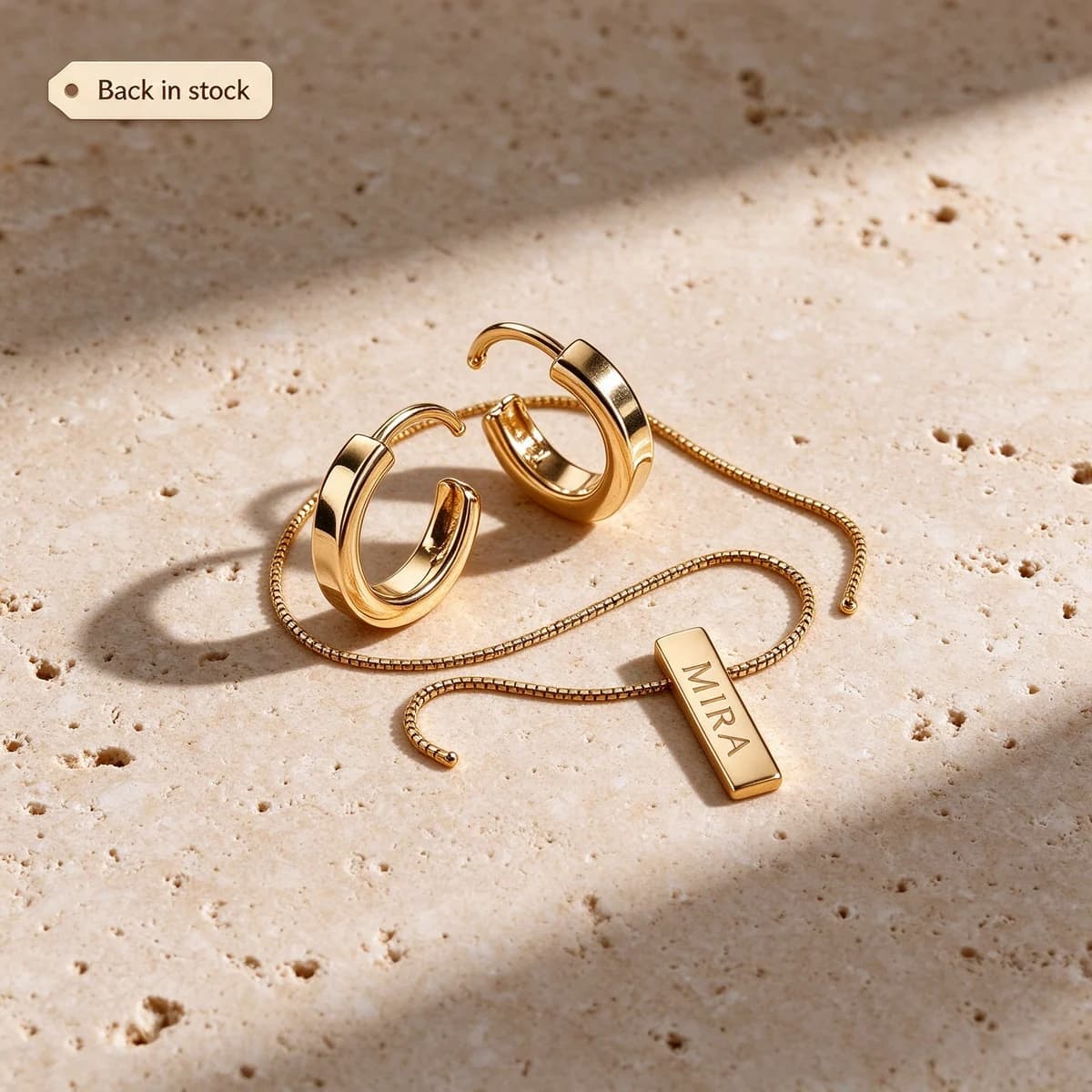
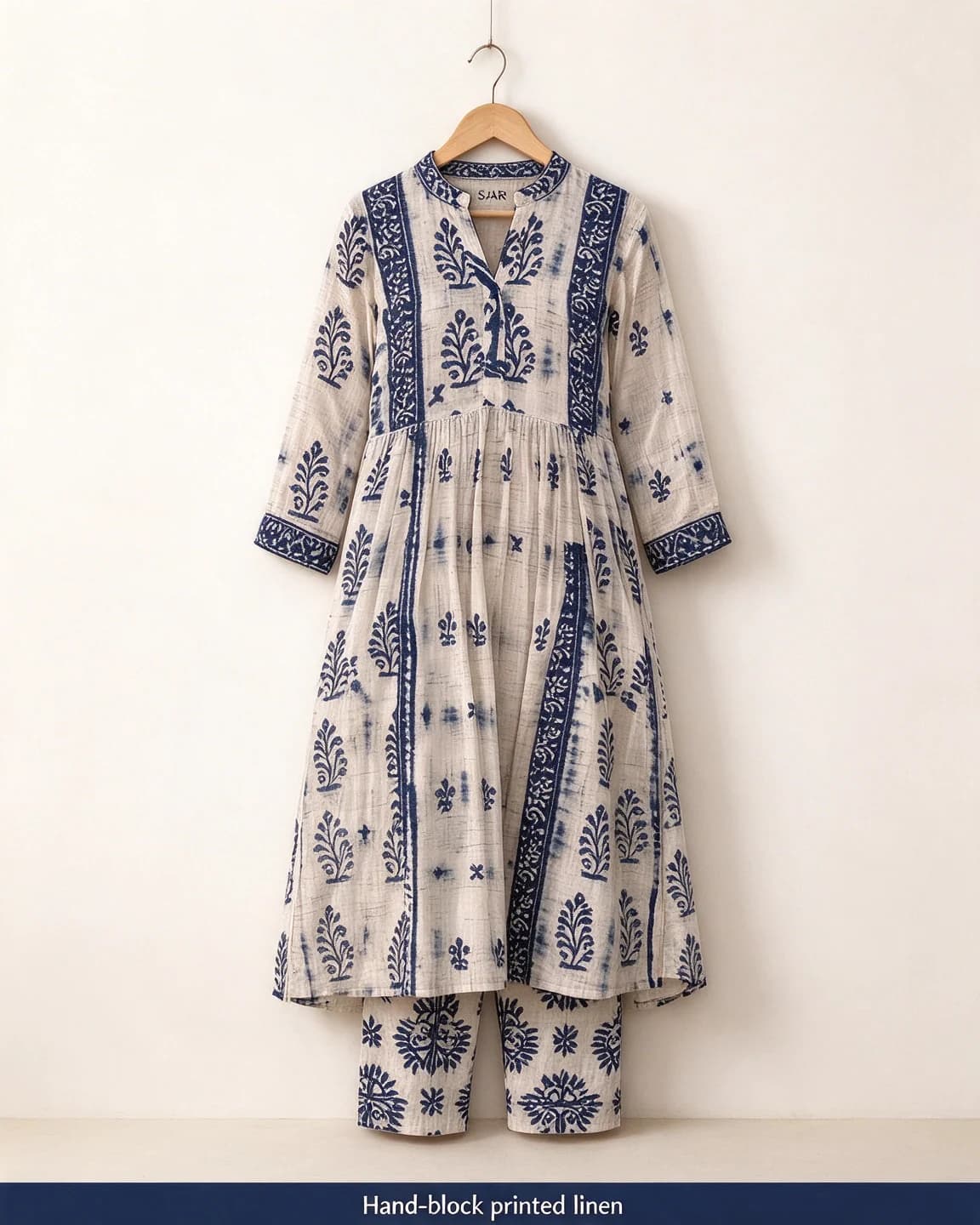
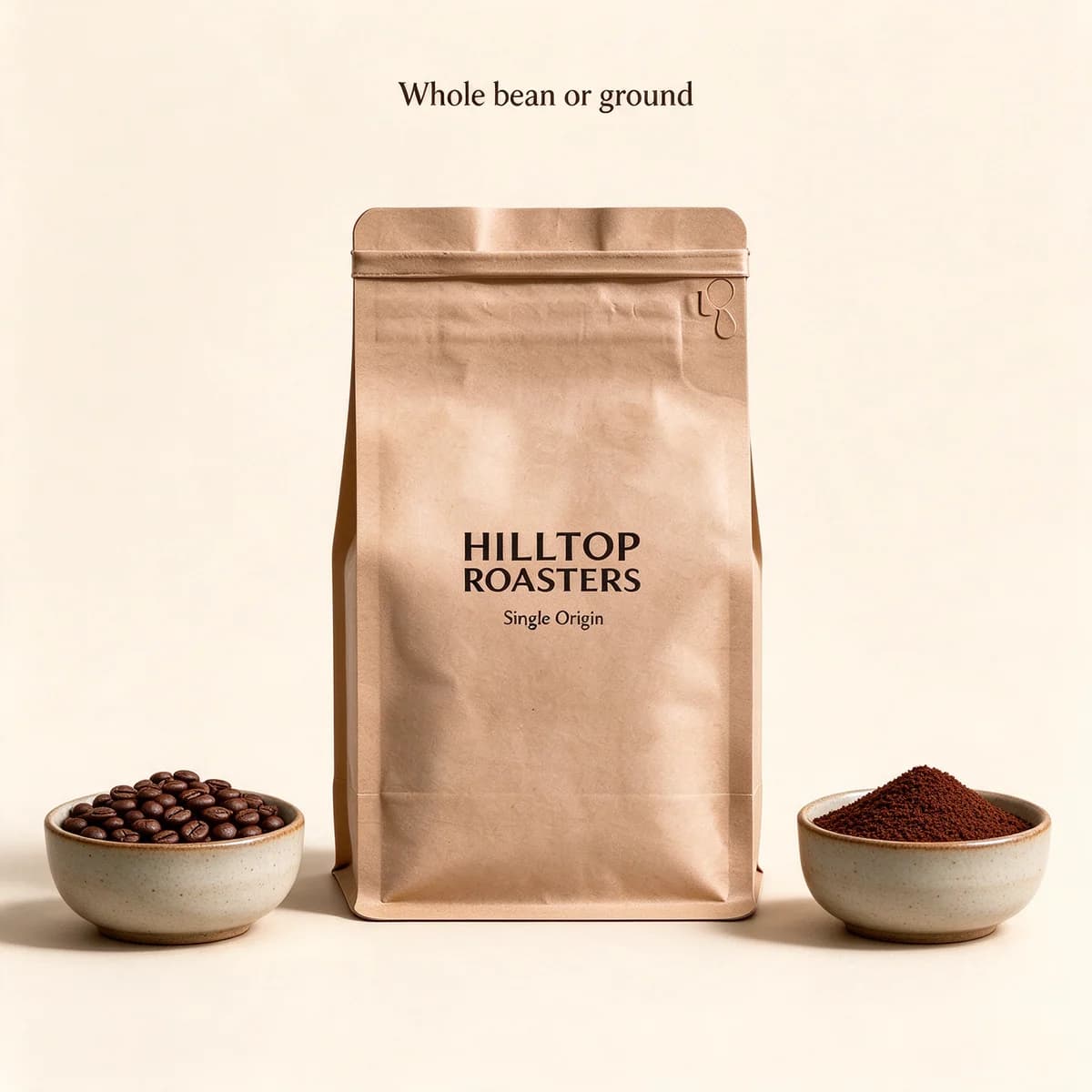
The eight examples above show the main moves:
- A frame or backdrop in the brand colour (Pacer, Waggle), so a row of your products is recognisable as yours.
- A lifestyle main image (Soniq) for the best sellers.
- Scale, detail and contents (Nook & Wick, Mira, Kettle & Co.), for the questions a packshot leaves open.
- Variant and material clarity (Hilltop Roasters, Saar), so nobody has to guess what they're getting.
What Meta adds on top
Meta can change a catalog image after you upload it. As of October 2026, the Meta for Developers page on Advantage+ creative for catalog lists options that include image touch-ups, which adjust images to fit each placement, product video, which shows videos from your catalog alongside images where supported, and dynamic overlays, which add information from catalog items on top of the image. Meta's ad creative reference for image overlays, checked the same month, describes text overlays that draw on the item's price fields and frame overlays made from a frame image you supply, placed at the top, bottom, centre, a side or a corner. What your own account shows can differ, so check Ads Manager before you plan a range of images around one option.
Meta's catalog ads page also describes product showcase, which pairs your hero creative with dynamic product recommendations by adding shoppable product cards to a static image or video. That is where a strong single image made outside the catalog meets the feed.
For the picture, this means three things:
- Leave the price off. If Meta can show the live price, a typed one is redundant at best and wrong at worst.
- Leave room. Overlays can sit along any edge, in any corner or in the centre. A product filling the frame edge to edge will be partly covered somewhere.
- Keep labels about the product. "New", "Back in stock" or a fabric name stays true. Prices and dates go stale.
Baked-in frame or frame overlay
The Pacer and Waggle images carry their frames inside the picture. That gives you exact control, the frame never covers the product, and it shows up in every placement, but each product needs its own edited image. A frame overlay is one image Meta lays over every item, so a whole range picks up the brand frame at once, at the cost of covering whatever sits near the edge of each photo. Baking it in suits a short list of best sellers. An overlay suits a range of hundreds, as long as every photo leaves a margin.
The catalog overlays glossary entry covers the overlay options in more depth, and the safe zone checker shows how a square crop treats a taller image.
A worked example: refreshing a 40-kurta range
Say Saar sells 40 kurtas and a handful of them sell most. Rather than reshoot the range:
- Pick the ten best sellers from your store's reports.
- Make three main-image options for each: the hanger shot on off-white with a fabric band, a lifestyle scene and a flat lay. That's 30 images.
- Test the styles as ordinary single-image ads first, a few products per style, to see which style sells.
- Move the winning style into the feed for those ten, then roll it out across the rest of the range.
Leaving prices to the feed pays off at sale time. A kurta at $20 with 20% off becomes $16: put that sale price in the feed, and whatever reads prices from the feed, a price overlay included, picks it up. When the sale ends, remove the sale price and not one image is out of date. Had $16 been typed onto 40 images, the end of the sale would mean remaking 40 images.
Where BulkAds fits, honestly
BulkAds doesn't build catalog campaigns or edit your product feed. Its bulk ad launcher creates sales, leads and traffic campaigns with one ad per creative, and catalog campaigns are set up in Meta Ads Manager.
What it does is the image side:
- Your brand kit reads up to a dozen products from your website, Shopify and WooCommerce product feeds included, with their photos and prices.
- For each product, a batch makes up to 12 images from the real packshot (frames, lifestyle scenes, scale shots, flat lays) in 1:1, 4:5 or 9:16. A pre-flight check compares the product in every image with your original photo. Accuracy matters more in a catalog than anywhere else, because the picture has to match the item a shopper lands on.
- You can launch those images as single-image ads to find the style that sells, then download the winners and add them to your feed yourself.
That makes BulkAds a test bench and image studio for a catalog, not a replacement for one. The catalog brands page covers the workflow for shops with large ranges, and product photo ads explains how the packshot is kept unchanged.
Shooting for a feed
Whether the images come from AI or from a photographer, the same habits help:
- One product per image, centred, with the whole product in frame.
- The same angle across a range, so a row of products looks like one shop.
- Light, plain backdrops for most main images, and a scene for the best sellers.
- Generous space around the product, so frames and overlays have somewhere to go.
- Labels that stay sharp when small. If the brand name blurs at thumbnail size, crop closer.
The white-background product prompts show how to get consistent packshots, and the guide to product photos for AI ads covers lighting and awkward products such as glass and jewellery.
Questions people ask
What are catalog ads?
Ads that build themselves from a product feed: each item's image, title and price, shown to people Meta matches with those products. They started out as dynamic ads and were later called Advantage+ catalog ads. As of October 2026, Meta's catalog ads page calls the format Products from your catalog and says the catalog works across all sales campaigns.
Should catalog images have text on them?
Keep it to short labels about the product, such as 'New' or a fabric name, and leave prices off. Prices change, and Meta's overlays can show the live price from your feed.
Can I use lifestyle photos in a catalog?
Yes. Any image that shows the right product can be the main image in your feed. Lifestyle scenes suit best sellers. Keep plain-background images for the rest of the range and compare which style sells.
Can BulkAds make catalog ads?
BulkAds doesn't create catalog campaigns or edit your feed. It makes the product images from your real packshot and launches them as single-image ads to test. You can download the winners and add them to your feed.
What's the difference between catalog ads and carousel ads?
A carousel ad is a set of cards you choose and design yourself. A catalog ad fills its image or cards from your product feed automatically, so it can look like a carousel while every product in it comes from the feed.
Are these real shops?
No. Pacer, Waggle, Saar, Mira and the other brands here are fictional, and every image on this page was made with AI for illustration.
Keep going
- Use cases
BulkAds for catalog brands
For shops with hundreds of products: pick the ones worth their own ads, make on-brand batches from their real photos and test them next to your feed ads.
- Ad templates
Price drop ad template
A lower price for good, shown against the real old one
- Ad templates
Back in stock ad template
Sold out, then back: the before and after of your own shelf
- Prompt library
White background product prompts
Four white background product prompts with outputs: two text-only packshots, a reflection shot from a real photo and a white ad with a headline. Copy and adapt.
- Ad examples
Carousel ad examples
Swipeable ads where card one earns the swipe and every card earns its place
- Glossary
Catalog overlays
Catalog overlays are labels Meta can place on product images in catalog ads, filled in from your product feed, such as the price, a struck-through old price, the percentage off or a free shipping tag. They change with the feed, so the image doesn't have to.
Every brand on this page is fictional and every ad was made with AI for illustration — they’re examples, not case studies.
BulkAds AI is an independent product and is not affiliated with, endorsed or sponsored by Meta Platforms, Inc. Facebook and Instagram are trademarks of Meta Platforms, Inc.