









Why bulk launching matters
Creative testing only works at volume. But the more ads you make, the longer it takes to get them live: every ad in Ads Manager needs its media uploaded, three text fields pasted, a button chosen, a link added, UTM parameters typed and a sensible name. Ten ads is an afternoon, fifty is a week of busywork — and a lot of room for a pasted caption on the wrong image.
A bulk ad launcher removes the gap between making ads and testing them.
What BulkAds creates in your ad account
When you launch a batch, BulkAds builds a standard, easy-to-read structure:
- A campaign with the goal you chose — sales (with your Pixel's Purchase event), leads, or traffic if no Pixel is connected yet.
- An ad set with your daily budget, countries, age range and gender. Leave the audience broad and Meta's Advantage+ audience is switched on. Narrow it and your targeting is used as set.
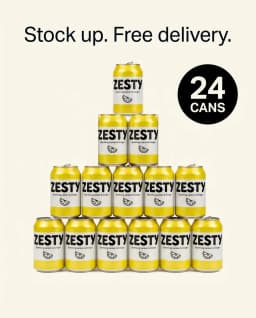
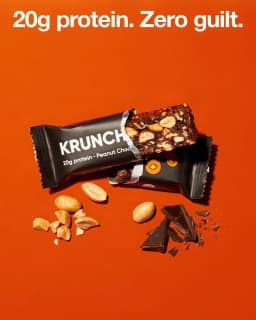
- One ad per creative — image or AI video, with its headline, primary text, description, call-to-action button and landing page.
Everything is created paused. That gives you a moment to look it over — in BulkAds or in Meta Ads Manager — before any money moves.
Tracking and names, handled
Every ad is launched with URL tags:
utm_source=facebook · utm_medium=paid · utm_campaign=<campaign name> · utm_content=<creative ID>
So your store's analytics (Shopify, GA4 or anything that reads UTMs) can attribute visits and sales to the exact ad. Want your own convention for other campaigns? The free UTM & ad name builder makes consistent names and tags, and our naming conventions guide explains a system that survives hundreds of ads.
How it compares with Ads Manager's bulk tools
Meta's own bulk import works from a spreadsheet: export a template, fill in rows, upload media separately, import, then fix what didn't match. It's powerful and free, but it's built for people who already know the column names. See our bulk upload guide for a step-by-step comparison, or the BulkAds vs Ads Manager page.
After launch
Once the ads are live, their results sync back into BulkAds, on the campaign page and in creative analytics, and you decide what to pause or scale. To hand that part over, let Autopilot launch its own tests from your approved ads — it judges each ad on real sales, stops the ones that burn budget and scales the ones that sell, inside the monthly cap and daily limit you set.
Questions people ask
Does BulkAds need my Facebook password?
No. You connect through Meta's official Facebook Login for Business and choose exactly which ad account, Page, Instagram account and Pixel to share. You can revoke access from BulkAds or from Meta at any time.
Will ads go live immediately?
No. Every campaign, ad set and ad is created paused. They only start delivering when you approve — or, if you've switched Autopilot to hands-off mode, when Autopilot launches a test within your caps.
Can I launch ads I made somewhere else?
Yes, if they're still images. Upload a finished PNG, JPG or WebP ad, add its headline and primary text (BulkAds can rewrite them) and launch it the same way. Videos made elsewhere can't be uploaded, so run those from Ads Manager.
Which campaign goals are supported?
Sales (optimised for your Pixel's Purchase event), leads, and traffic. Without a Pixel, sales campaigns launch as traffic campaigns and BulkAds tells you why.
Can I still edit the ads in Ads Manager?
Yes, they're ordinary ads in your own account. Changes you make there are yours. BulkAds keeps reading their results.
Keep going
- Features
Autopilot
Stops losers, scales winners, inside your caps
- Features
AI ad generator
On-brand image ads in batches of up to 12
- Features
Creative analytics
Which ad actually sold — and why
- Free tools
UTM & ad name builder
UTM tags with Meta's dynamic parameters, plus consistent ad names
- Guides
How to bulk upload Facebook ads: three ways, compared
Duplicate and edit, Ads Manager's Import/Export spreadsheet or a bulk launcher: how each works, which to choose, a pre-launch checklist and fixes for common errors.
- Guides
Facebook ad naming conventions that still work at 500 ads
A naming system for campaigns, ad sets and ads — fields, order, separators and short codes — with worked examples, reporting tricks and how names flow into UTMs.
Prices and credits on this page come from our live plans. Examples use fictional brands and example data.
BulkAds AI is an independent product and is not affiliated with, endorsed or sponsored by Meta Platforms, Inc. Facebook and Instagram are trademarks of Meta Platforms, Inc.