How to use the checker
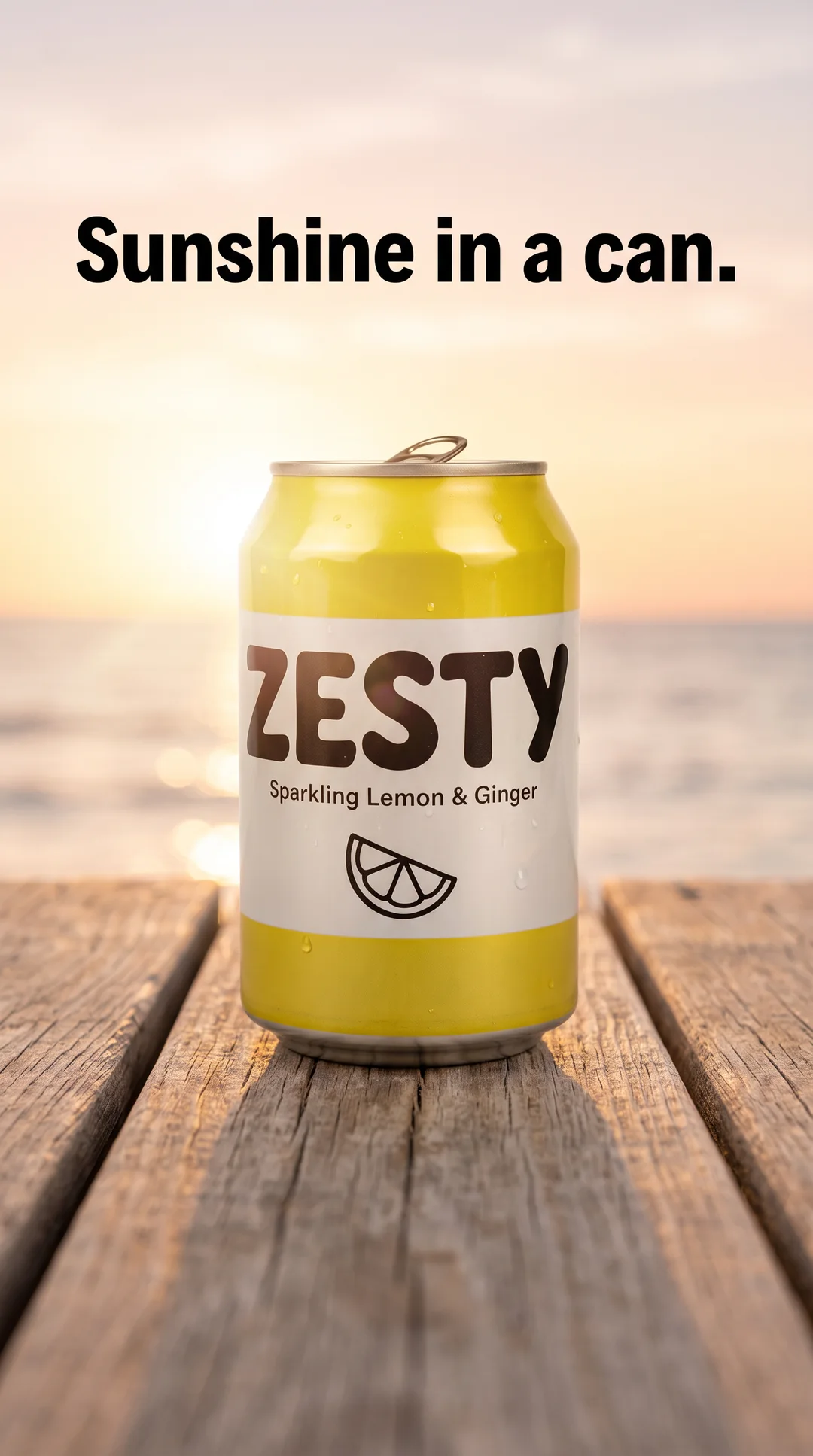
- Upload your ad, or use the sample image. A 1080 × 1920 image suits the Stories and Reels overlays, a 1080 × 1350 image suits the feed overlay.
- Switch between overlays — Stories, Reels and Feed 4:5 — to see the areas Meta's interface or a square crop may take.
- Check what sits in the shaded areas. Headlines, prices, offers, logos, the product's label and any call to action written on the image should all sit in the clear area.
- Fix and check again. Move or shrink whatever is covered, export a new version and drop it in.
Your image never leaves your browser. It's read and drawn on your own device, not sent to a server, so unreleased products and offers stay private.
The zones it draws
A safe zone is the part of the frame Meta's interface won't cover. The checker draws these approximate margins:
| Overlay | Keep clear | On the canvas | What sits there |
|---|---|---|---|
| Stories (9:16) | Roughly the top and bottom 14% | About 250–270 px at the top and bottom of 1920 | Progress bar, profile name and label at the top, the call-to-action and reply area at the bottom |
| Reels (9:16) | Roughly the top 14%, the bottom 35% and about 6% at each side | About 250–270 px at the top, 670 px at the bottom and 65 px at each side | App controls at the top. Caption, profile name, button and audio details at the bottom. Like, comment and share buttons down the right |
| Feed (4:5) | Nothing in the feed itself. The overlay marks what a square crop keeps | The middle 1080 × 1080 of a 1080 × 1350 image | Primary text above the image, headline and button below it |
The Stories margin is often quoted from Meta's guidance as 14%, or about 250 pixels. Exactly 14% of 1,920 is nearer 270, so the zone the checker draws is slightly larger — the safe side to err on.
What to keep inside the safe area
- Words people must read: the hook or headline, the price, the offer and any call to action on the image.
- The product, especially its label or logo.
- Faces in lifestyle or UGC-style shots, and subtitles in video.
Backgrounds can and should run edge to edge. Only what people need to see has to stay clear. If one 9:16 design will run in both Stories and Reels, design for Reels: it's the stricter of the two, so a Reels-safe layout clears Stories too. A layout that usually works puts the headline in the upper middle of the frame, the product in the centre and nothing important in the bottom third.
For video, check more than one frame — the opening, any text-heavy moment and the end card — and keep subtitles above the bottom 35% for Reels. The glossary entry on Reels ads covers the format itself.
Feed 4:5 and the square crop
A 4:5 image (1080 × 1350) takes up the most room a feed gives an image, and in feeds the interface sits mostly outside it, so there's little to avoid. The catch is cropping. Some placements show images in a square frame, and a 4:5 image placed there is typically cropped to the centre unless you set the crop yourself in Ads Manager.
The feed overlay shows that centre square: the middle 1080 × 1080, which loses 135 px at the top and at the bottom. Keep the product and the headline inside it. If a design depends on its top or bottom edge — a banner across the top, say — make a dedicated 1:1 version instead. The aspect ratio entry covers which shapes go where.
A quick pre-launch check
- Make a real 9:16 version for Stories and Reels rather than stretching a feed ad: recompose it, don't just crop it. Our guide to turning one product photo into many ads covers the sizes.
- Keep both versions in one ad through placement or asset customisation (Meta renames the option now and then), so their results stay together.
- Run every vertical ad through the Reels overlay and every 4:5 ad through the feed overlay.
- Read the text on a phone at arm's length. If you have to squint, it's too small or too long.
- Preview the finished ad in Ads Manager for each placement it will run in, and on your own phone if you can.
BulkAds' AI ad generator makes ads in 1:1, 4:5 and 9:16 from your product photos. However an ad was made, AI or studio, it's worth a pass through the checker before it goes live.
Questions people ask
What is the Instagram Reels safe zone?
As a rough guide, keep the top 14% and bottom 35% of a 9:16 frame free of text and logos, plus about 6% at each side. Meta's interface varies by app version and placement, so treat it as approximate.
What is the safe zone for Stories ads?
Roughly the top and bottom 14% of a 9:16 frame: about 250–270 pixels each on a 1080 × 1920 design. Keep text, logos and the product in the middle.
Is my image uploaded anywhere?
No. The checker reads your image in the browser and draws the zones on your screen. The file is never sent to a server.
Can one 9:16 design work for both Stories and Reels?
Yes. Design for the stricter Reels zone, with the bottom 35% clear, and the layout will clear Stories too.
Do feed ads have a safe zone?
Less of one, because the feed interface sits mostly outside the image. But a 4:5 image can be cropped to a square in some placements, so keep the essentials in the centre square the checker shows.
Keep going
- Features
AI ad generator
On-brand image ads in batches of up to 12
- Guides
Product photo ad ideas: turn one packshot into 20 ads
One clean packshot is enough for a full creative test. Eleven angles, how to brief each one, the sizes and copy to make, and how to launch 20 ads and learn from them.
- Guides
Static vs video ads: which to make, and when
Statics are cheap to make and quick to test, video earns its place in Reels and Stories. An honest comparison, the metrics for each and a plan that uses both.
- Glossary
Safe zone
A safe zone is the part of an ad's frame that Meta's interface — profile name, captions, buttons, progress bars — won't cover. Keeping text, logos and the product inside it keeps them visible in Stories and Reels.
- Glossary
Aspect ratio
Aspect ratio is the shape of an image or video, written as width to height: 1:1 is square, 4:5 is vertical feed and 9:16 is full-screen vertical. On Meta, the ratio decides how much of the screen your ad fills.
- Glossary
Reels ad
A Reels ad is a full-screen vertical ad that appears between Reels on Instagram and Facebook. It's built for 9:16 video with sound, and it has to hook in the first second while leaving room for Meta's on-screen interface.
The tool runs entirely in your browser. Results are estimates to plan with — your own account’s numbers always win.
BulkAds AI is an independent product and is not affiliated with, endorsed or sponsored by Meta Platforms, Inc. Facebook and Instagram are trademarks of Meta Platforms, Inc.