How to write a white background product prompt
A white background prompt is mostly a list of what to leave out. Each of the four below is built from the same five parts:
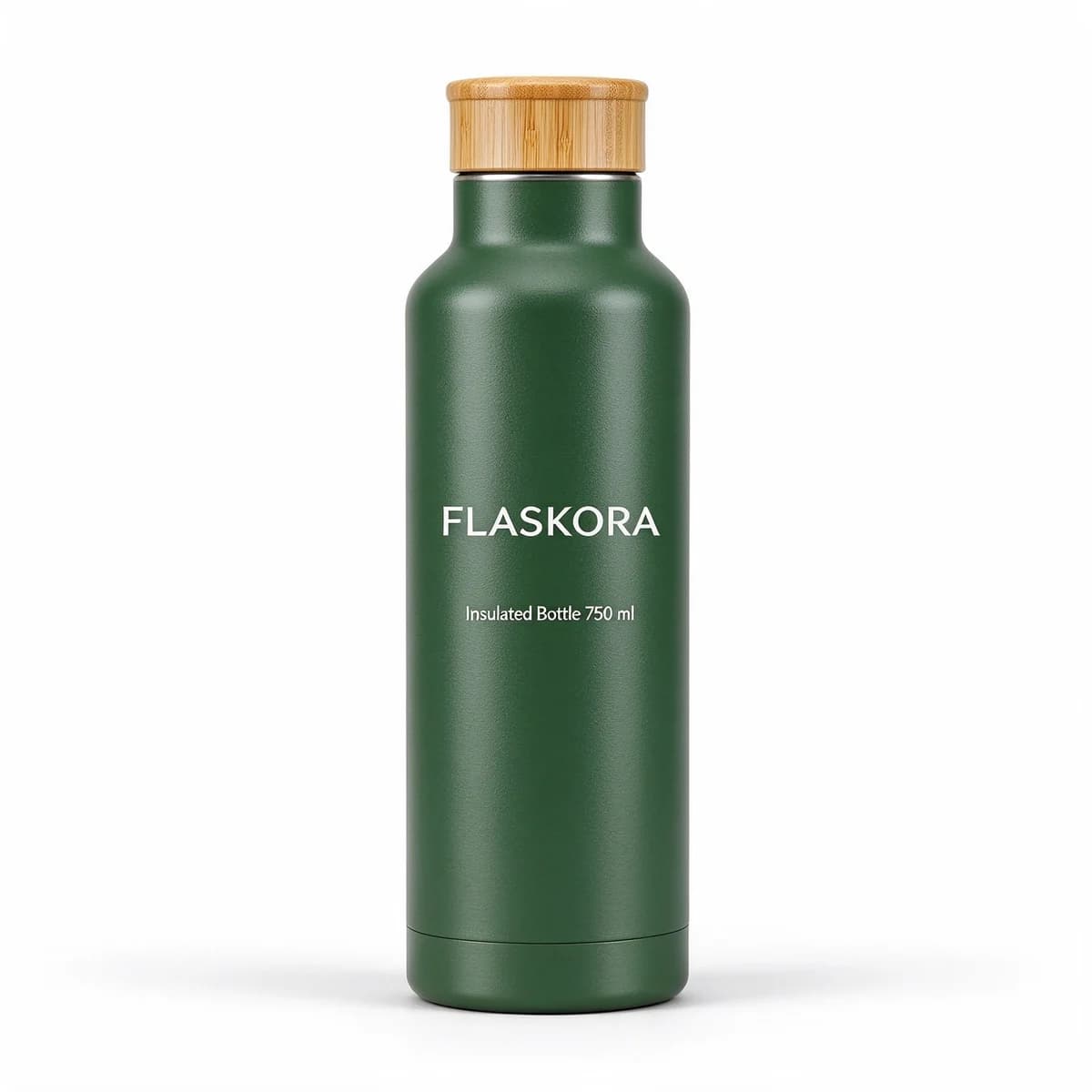
- The product in one sentence: material, colour, closure and the exact label text in quotes.
- The pose: standing, lying at an angle or in side view, and which way the label faces.
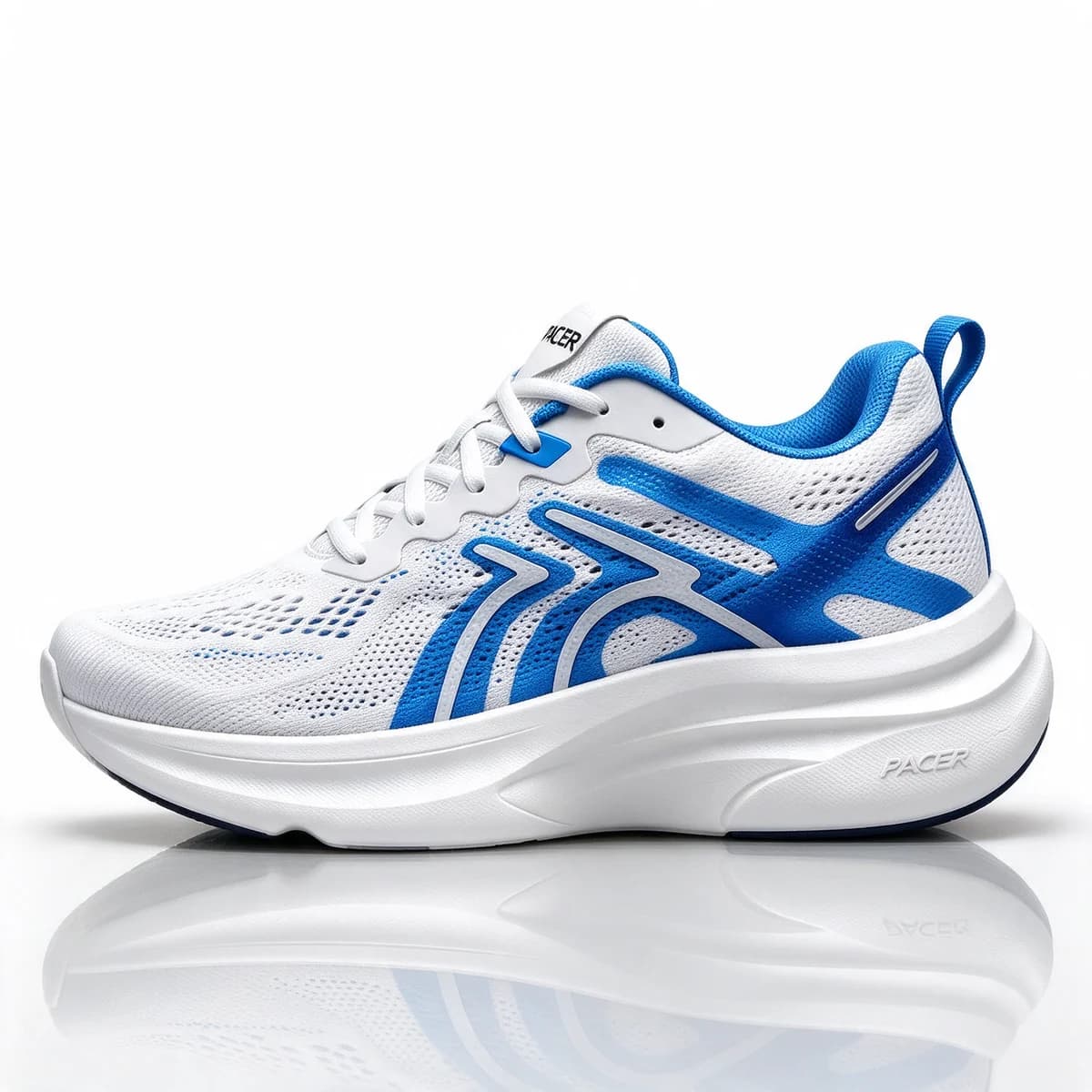
- The backdrop: "seamless pure white", with a named shadow. A soft contact shadow grounds the product, a faint reflection adds polish, and no shadow at all makes it look cut out.
- The light: even and soft, from both sides for dark or shiny products.
- The exclusions: no other objects, no props, no people and no text except what is printed on the product.
Leave any of those out and the model fills the gap for you. Most failures on white come from a prop nobody asked for, a grey sweep instead of white, or a slogan the model added to be helpful.
Text-only packshots versus your real product
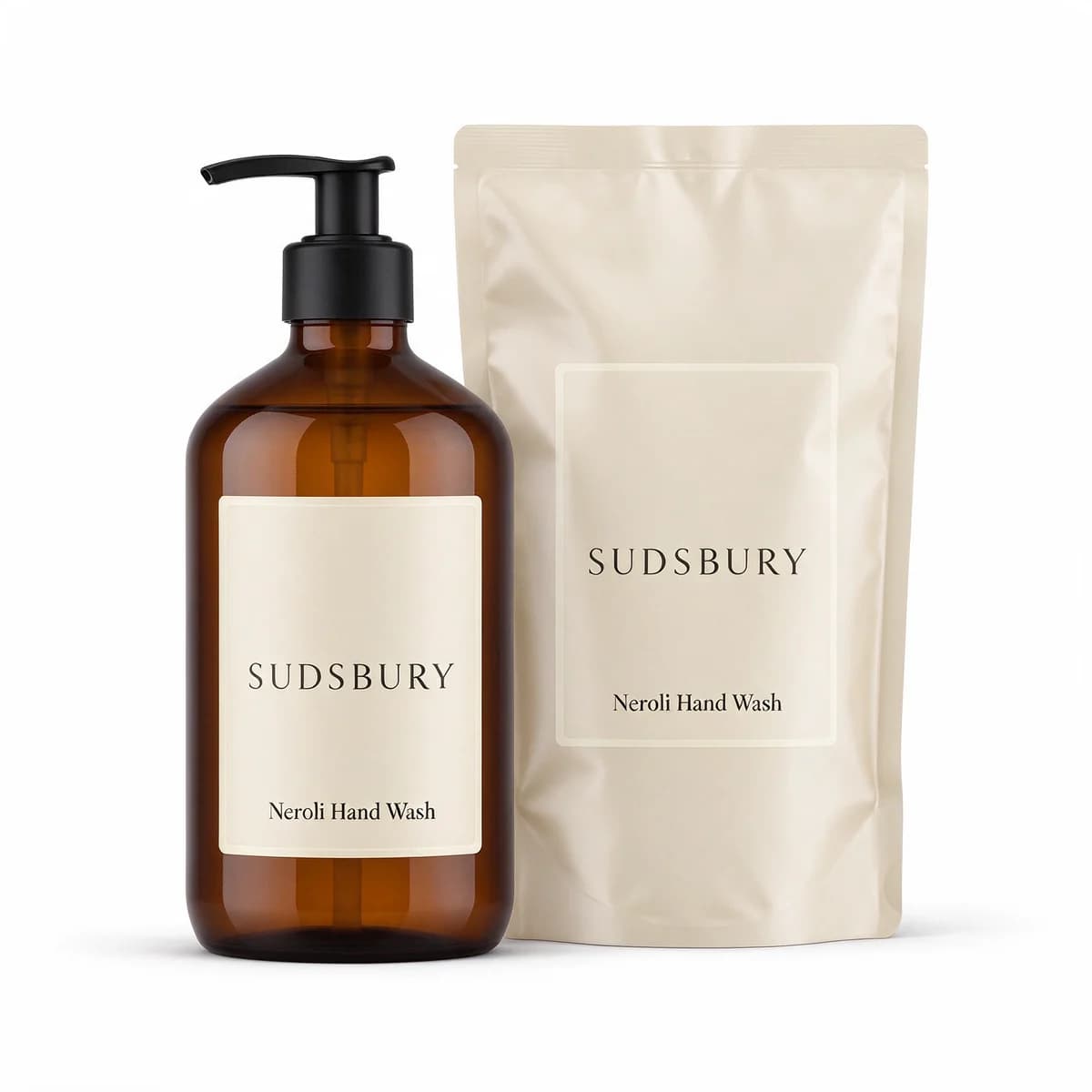
The first two prompts are text only. Seedream 5 Flash invents the bottle and the pump pack from the description, which suits work that doesn't need a real product yet: a pitch deck, a new pack design idea, a placeholder while samples are on their way, or a product mockup for a store page that isn't live.
They are not photos of anything you can sell. Proportions, cap shapes and label layouts are the model's guesses, and a customer comparing the ad with the parcel will notice. For a product that exists, the last two prompts show the better route. Start from your own photo and ask Seedream 5 Flash edit for a new floor, shadow or layout while it keeps the product as it is.
White product photos in shopping feeds
White shots do two jobs, and the two have different rules. In a shopping feed, the main image is a picture of the item for sale and nothing more. Google's Merchant Center help page for the image link attribute (as of October 2026) asks for the product to take up no less than 75% and no more than 90% of the image. It lists calls to action, prices, promotional adjectives, overlays, watermarks and borders among the things to leave off, and it says main images will need at least 500 x 500 pixels for all products from January 31, 2027, with 1500 x 1500 pixels or above recommended.
Two details on that page surprise people. It doesn't name a background colour at all, so white is the easy way to a clean, unobstructed view rather than a Google rule. And it says not to include any product that isn't sold together with the main product. That is why the SUDSBURY pair above suits a listing for the bottle and refill as a set, while the bottle's own listing needs the bottle alone.
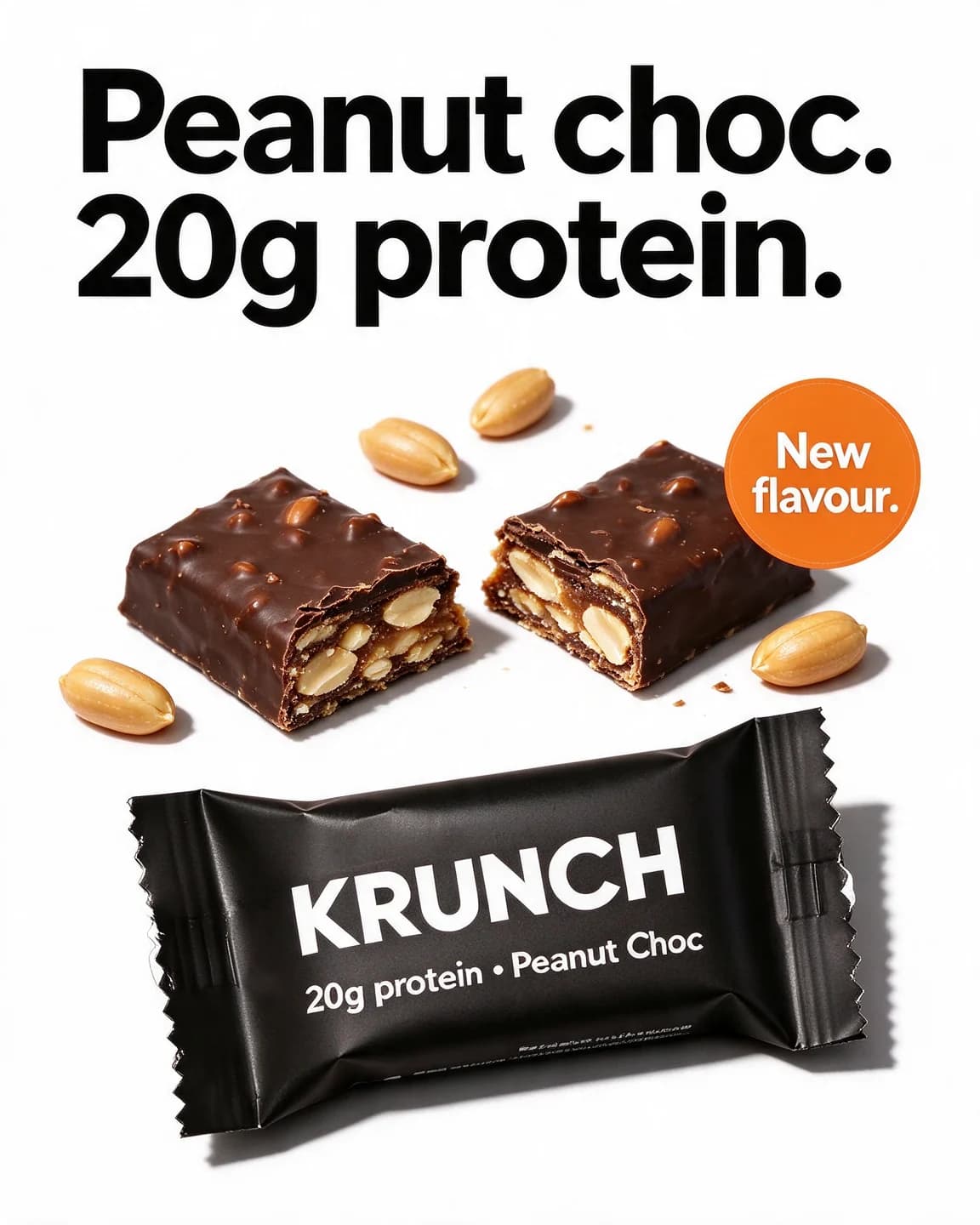
In an ad, white is a background like any other, and a headline is welcome. That is what the fourth prompt does. So keep two versions of your best white shot: a clean one for feeds and catalog ads, and a white ad with text for the placements where you want a message.
How BulkAds uses your white background photo
A clean packshot on white is the best photo you can give BulkAds, because it is the easiest for the AI to place into new scenes accurately. Paste your website and BulkAds picks up your product photos, or add your own. From that one photo a batch can hold lifestyle scenes, flat lays, bold claims on a flat colour, offers and UGC-style shots, and each ad is checked against your original for shape, label and colour before you see it.
If your white shot is already the ad you want, upload it as it is with Upload ad. Add the headline and primary text, which BulkAds can rewrite, and the image launches unchanged. The product photo ads page explains the whole flow, and the background replacement prompts help when your photo isn't on white yet.
Questions people ask
Why does my white background come out light grey?
Models often add a soft gradient or a grey sweep to make the shot look like a studio. Say seamless pure white rather than just white, ask for even light from both sides and check the corners with a colour picker. A quick levels adjustment fixes what is left.
Can I sell with a text-only AI packshot?
Not as a picture of the real product. A text-only packshot is the model's idea of a product, so the cap, the proportions and the label won't match what you ship. Use it for concepts and mock-ups, and use your own photo as the reference for anything a customer buys from.
Can a white background image carry a headline?
In an ad, yes. A white ad with one bold line and the product can look calm next to busy feeds. As a shopping feed main image, no. Google's Merchant Center guidance (as of October 2026) lists overlays, calls to action and prices among the things to leave off product images.
Does Google Shopping require a white background?
Not as of October 2026. Google's Merchant Center image guidance asks for a clear, unobstructed view of the product filling 75% to 90% of the image, with no overlays, but it doesn't name a background colour. Some marketplaces have stricter main-image rules, so read each one's own image guide before you upload.
How big should a white background product photo be?
Google's Merchant Center help page (as of October 2026) says main images need at least 500 x 500 pixels for all products from January 31, 2027, and recommends 1500 x 1500 or above. For BulkAds, a photo with at least 1000 pixels on the short side is a good start.
Should the shadow stay in a white background shot?
Usually, yes. A soft contact shadow makes the product look like it stands on something. Without one it seems to float, which works when floating is the style but looks like a rough cut-out when it isn't.
Keep going
- Prompt library
Background replacement prompts
Four background replacement prompts that move a white-background packshot into a kitchen, a balcony, a bedroom and a café, with the outputs and notes on each.
- Prompt library
Studio color backdrop prompts
Four studio color backdrop prompts with outputs: a tonal teal set, a two-tone Story, a dark wrapper on bright paper and a window shadow, with notes on each.
- Prompt library
Lifestyle product photo prompts
Four lifestyle product photo prompts and their images: coffee at a dawn campsite, headphones on a late-night sofa, a dog-walk Story and a 4pm chai break.
- Ad examples
Catalog ad examples
Product feed images that stand out, leave room for overlays and stay accurate
- Glossary
Packshot
A packshot is a clean, well-lit photo of a product and its packaging, usually on a plain background. In ads it's the product's reference image — and in video, the closing frame that shows exactly what to buy.
- Glossary
Background removal
Background removal is the step that separates a product or person from the rest of a photo, leaving a clean cut-out on a transparent or plain backdrop that can then be placed into a new scene, layout or colour.
Every image on this page was made with AI from the prompt beside it. Model names are the ones BulkAds used, and results vary from run to run.
BulkAds AI is an independent product and is not affiliated with, endorsed or sponsored by Meta Platforms, Inc. Facebook and Instagram are trademarks of Meta Platforms, Inc.