Why leave the person out
Putting your exact garment on an AI-made person is the hardest job you can give an image model. The fabric has to drape on a body the model has never seen, the print has to bend with the folds, and the fit has to match your real sizing rather than a flattering guess. On top of that, an AI face can look like a real customer who doesn't exist. Leave the person out and most of those problems go with them. The garment stays the hero, and the picture shows what a shopper actually checks: the print, the fabric, the neckline and the length.
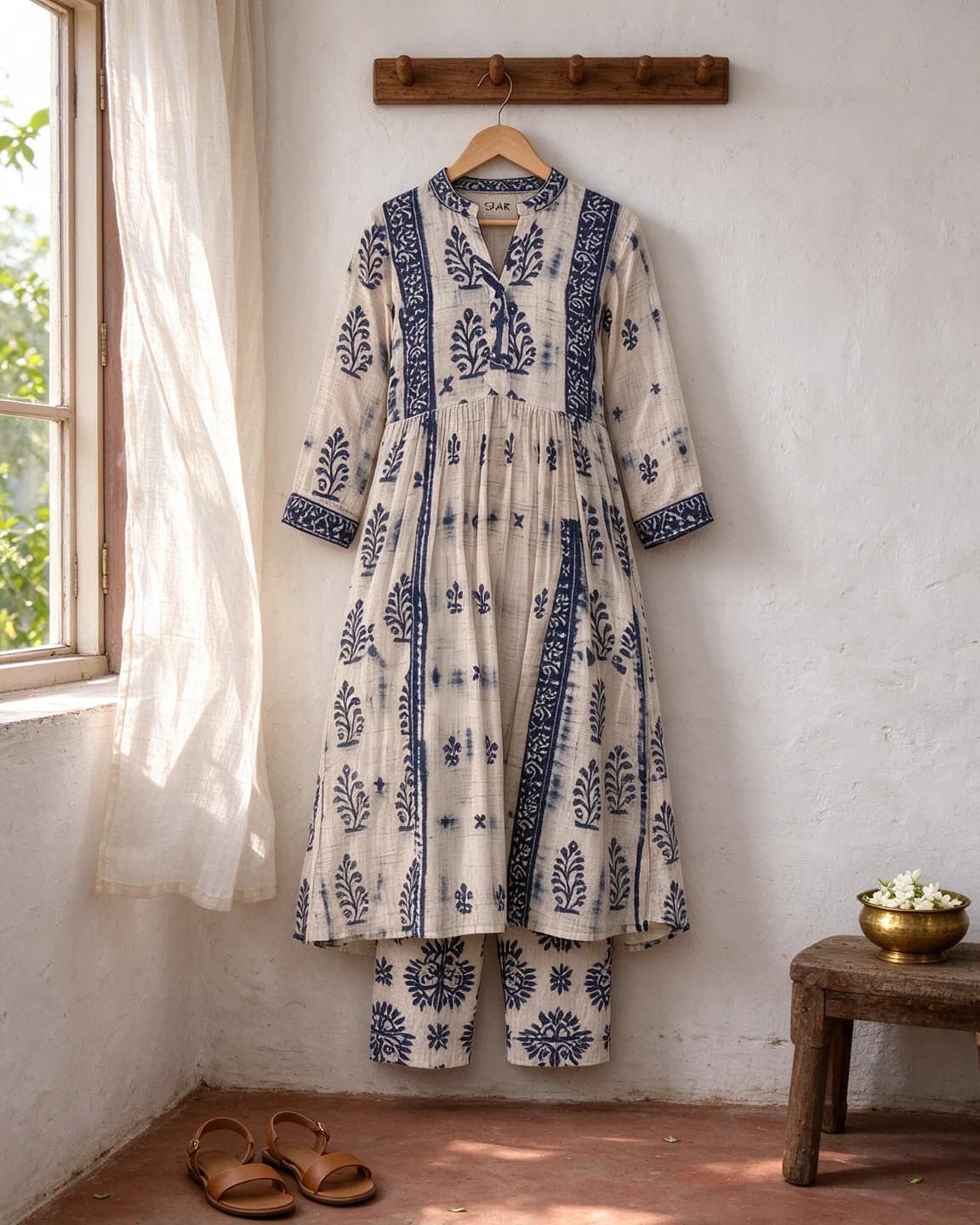
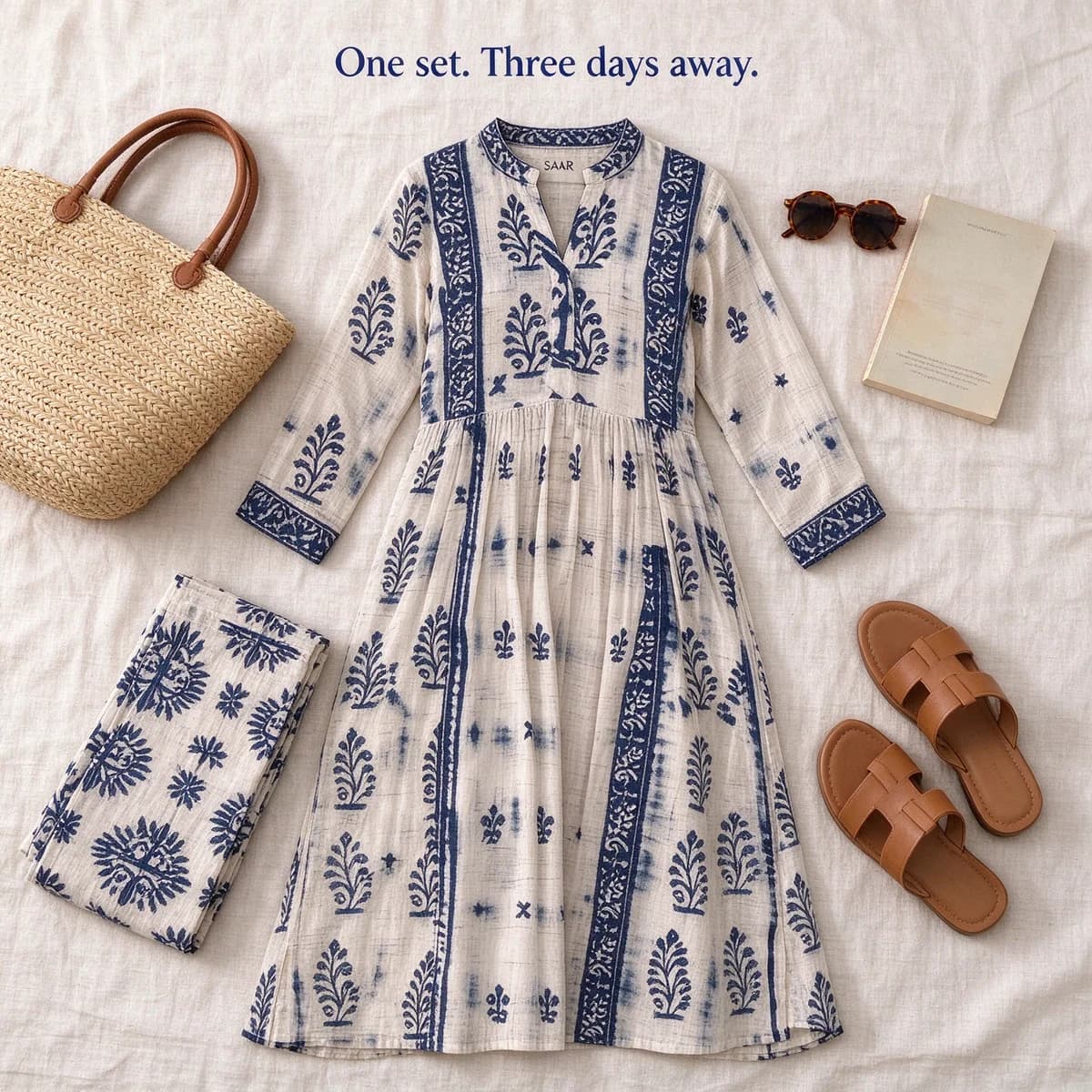
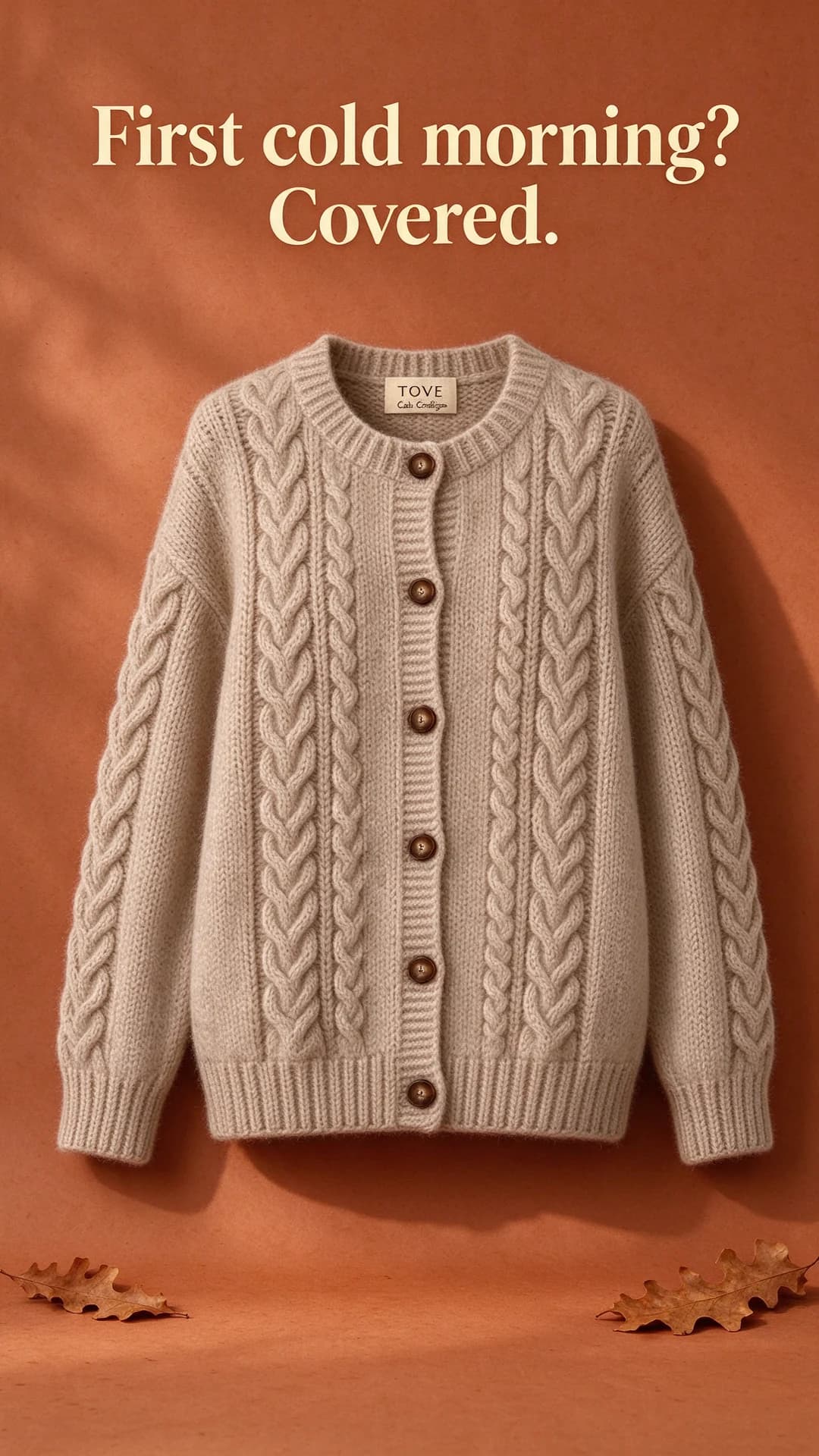
Model-free doesn't mean lifeless. A kurta on a peg rail by an open window, a cardigan floating in a warm colour set or an outfit laid out for a trip all tell a story about where the clothes are going.
Four model-free setups and when to use them
Hanger in a room
Best for mood: ethnic wear, occasion wear and anything with a print worth seeing in full. The room does the styling, so spend the prompt's words on the wall, the floor and the light.
Flat lay
Best for outfits, trips and bundles, with the garment laid out among the things it is worn with. It is also where prints drift most, because the model has to re-drape the fabric. Our flat lay prompts and the flat lay photography guide go further.
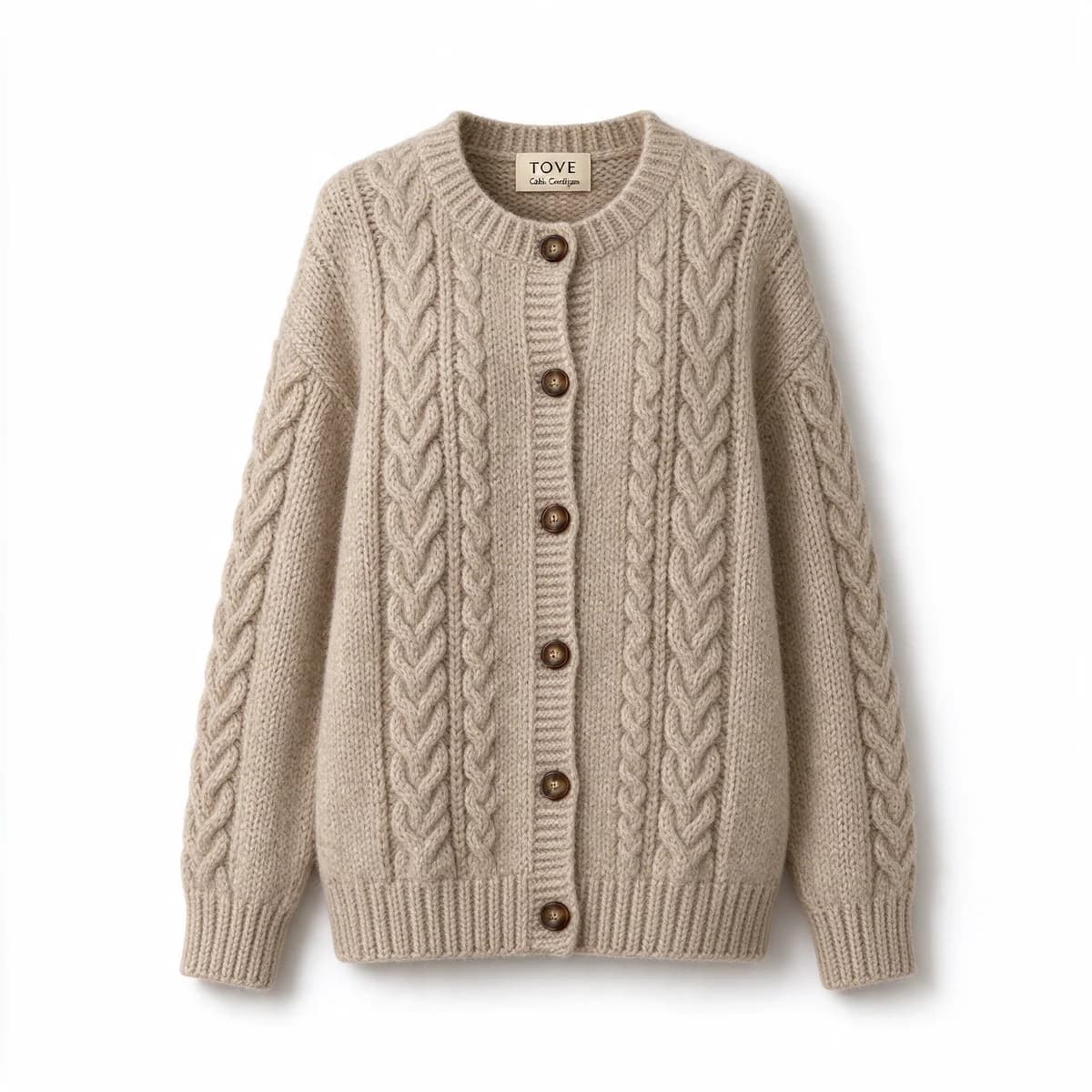
Ghost mannequin
Best for fit and shape: knitwear, jackets, shirts and dresses. The garment keeps the shape of a body with nobody inside it, so shoppers see how it hangs. The ghost mannequin entry in the glossary explains how the photo is made.
Folded stack
Best for showing a range of colours, three or four of the same piece folded on a shelf or a table. Ask for each colour by name, and count the pieces in the output.
Which setup suits which garment
Pick the setup that shows the part of the garment people pay for. On a saree that is the border and the pallu, on a cardigan it is the knit and the fit.
| Garment | Setup to start with | Light | What to check first |
|---|---|---|---|
| Printed kurta set | Hanger in a room, then a flat lay | Soft window light from the side | Where the motifs sit, and the trouser print |
| Saree | Folded, with the pallu fanned out on top | Soft, even daylight | The border and pallu design |
| Lehenga or occasion wear | Hanger against a plain wall, skirt spread out | Warm light that shows the depth of the embroidery | Embroidery, mirror work and the dupatta border |
| Knitwear | Ghost mannequin | Side light for texture | The cable or rib pattern, and the button count |
| Shirts and jackets | Ghost mannequin or a folded stack | Even studio light | Collar shape, placket and pockets |
| Denim and trousers | Folded stack or flat lay | Soft light from above | Wash colour, stitching and hem length |
Why the garment has to come from a photo
With clothes, the details are the product. A hand-block print has a scale and a rhythm, a cardigan has a set number of buttons, a collar has a shape. A text-only prompt redraws all of them. The TOVE cardigan on this page shows the trade-off: we made it from words alone so we had a reference to work from, and it makes a fine concept, but nobody can buy it. For real stock, photograph the piece first, on a hanger, flat or on a mannequin, and let the edit model build the scene around that photo. Our guide to product photos for AI ads covers fabric and light, and the ethnic wear ad examples show model-free angles at work.
Check these three things on every output
- The print. Compare motifs, stripes and borders with the real garment. A swapped motif is a different product.
- The hardware. Count the buttons and check the zip, the placket and the collar shape.
- The length. Hem and sleeve length should match your size chart, not the model's idea of the style.
Clothing ads in BulkAds without prompts
You can make all of this in BulkAds without writing a prompt. Add your garment photos, on a hanger, flat or on a mannequin, and product photo ads builds every ad in a batch on your real photo, then a check compares each one with it before you see it. Ask for a look with an instruction such as "no model, flat lay on linen, lead with the hand-block print", or upload a photo as it is and write its copy, with a BulkAds rewrite if you want one. A batch holds up to 12 ads in 1:1, 4:5 or 9:16, and each image ad uses 2 credits. When one of them sells, an AI video ad can add gentle motion, such as fabric moving in a breeze, for 20 credits.
Questions people ask
What is a model-free fashion photo?
A clothing photo with no person in it. The garment is shown on a hanger, laid flat, folded or shaped by an invisible mannequin, so the clothes themselves are the subject.
Can AI put my clothes on a model instead?
It can try, but drape, fit and print change most when a garment goes onto a body, and an AI face can pass for a real customer. Hands, or a person seen from behind, are a safer middle ground when you want a sense of scale.
How do I make a ghost mannequin image with AI?
The most faithful way is to start from a real ghost mannequin photo of your garment and use an edit model to change the background. Making one from text alone, as we did for the TOVE cardigan, invents the garment.
Which model-free style should I try first?
Start with the one that shows what your garment sells on. A print sells in a hanger or flat lay shot, fit sells in a ghost mannequin. Then test two styles side by side.
Can BulkAds make clothing ads from my product photos?
Yes. Clean flat lays, hanger or mannequin shots and clean on-model photos all work as a starting point, as long as the print and the label are sharp. Every ad is built on your photo and checked against it before you see it.
Keep going
- Features
Product photo ads
Your real packshot, in every scene
- Guides
Flat lay product photography: top-down photos that work as ads
How to shoot straight down without distortion, light a flat lay from one side, pick a layout that leaves room for a headline, and turn a packshot into flat lays with AI.
- Prompt library
Flat lay prompts
Four flat lay AI image prompts shown beside the product photos they made, with notes on top-down camera wording, prop lists, light and room for a headline.
- Prompt library
Studio color backdrop prompts
Four studio color backdrop prompts with outputs: a tonal teal set, a two-tone Story, a dark wrapper on bright paper and a window shadow, with notes on each.
- Ad examples
Ethnic wear ad examples
Kurta, saree and jacket ads planned around the occasion
- Glossary
Ghost mannequin
Ghost mannequin is a clothing photo technique where a garment is shot on a mannequin and the mannequin is edited out, so the piece looks worn by an invisible body. It shows shape, fit and neckline without a model.
Every image on this page was made with AI from the prompt beside it. Model names are the ones BulkAds used, and results vary from run to run.
BulkAds AI is an independent product and is not affiliated with, endorsed or sponsored by Meta Platforms, Inc. Facebook and Instagram are trademarks of Meta Platforms, Inc.