How to write a lifestyle product photo prompt
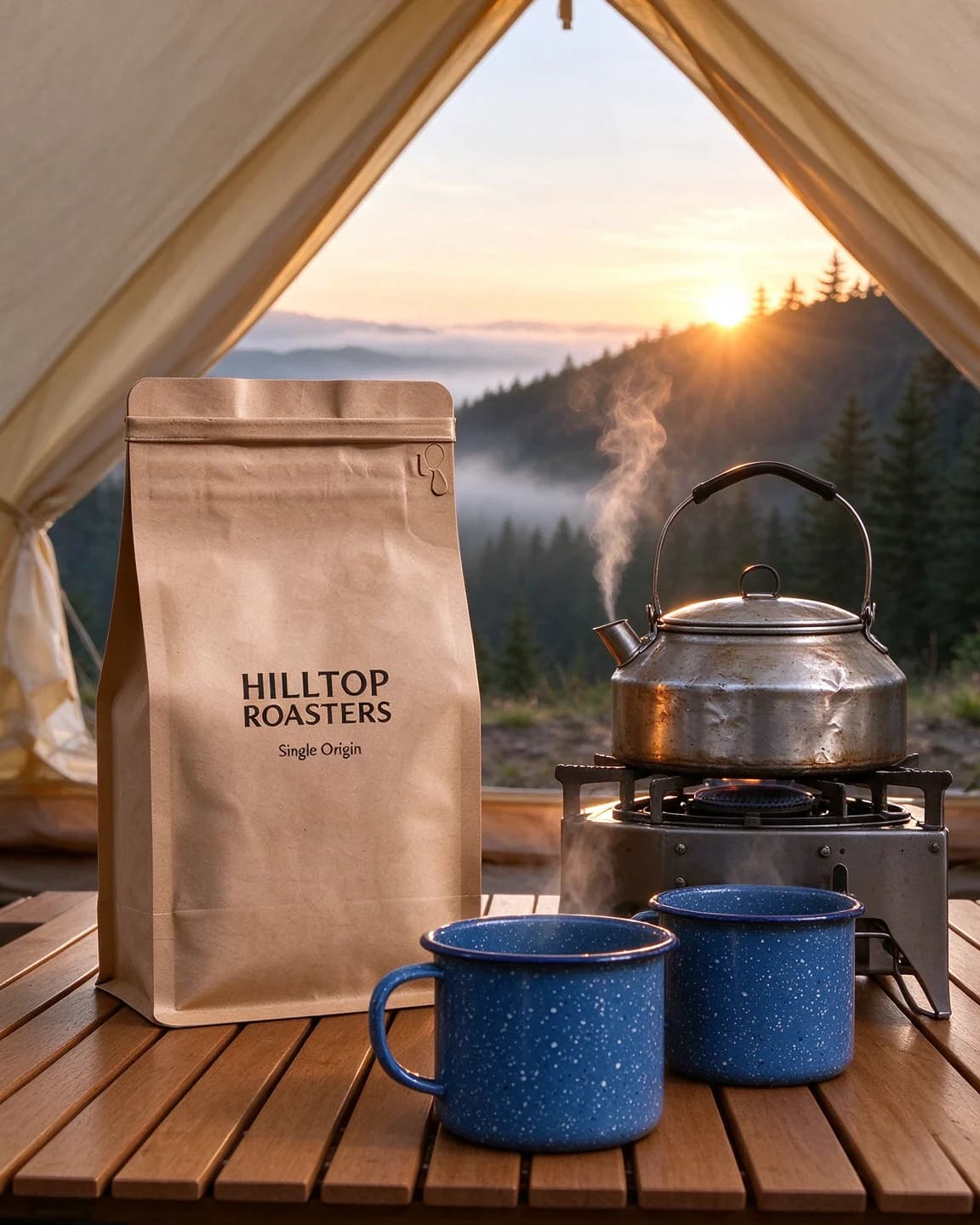
A lifestyle shot is a photo of a moment, so the prompt should read like a description of one. Compare "coffee bag at a campsite" with "the bag stands on a slatted wooden camping table just outside a canvas bell tent at dawn, beside a camping stove and two enamel mugs". The second sets the surface, the hour, the light and the habit in one line.
Each prompt on this page answers the same questions:
- Where exactly? A camping table, a sofa arm, a shoe bench, a desk. One surface, not a whole house.
- When? The hour sets the light. Dawn comes low from behind, late night is dark with one or two small sources, and 4pm sun slants in long and warm.
- Who lives here? Two or three props that belong to your customer, plus hands, paws or a back if a body helps the story.
- Which light, from which side? Name the source, such as a sun behind the hills, a lamp behind on the left or the blinds on a window.
- Which lens and framing? A wide lens shows the place, 50mm shows the table and 85mm shows the moment. Then say where the product sits in the frame.
- Text or no text? Say it outright. No text anywhere gives you a clean photo.
Four moments, four light setups
| Prompt | Hour | Light | Lens | Who it says owns the product |
|---|---|---|---|---|
| Campsite coffee | Dawn | Sun behind the hills, soft fill on the bag | 35mm | Someone who packs good coffee for a weekend away |
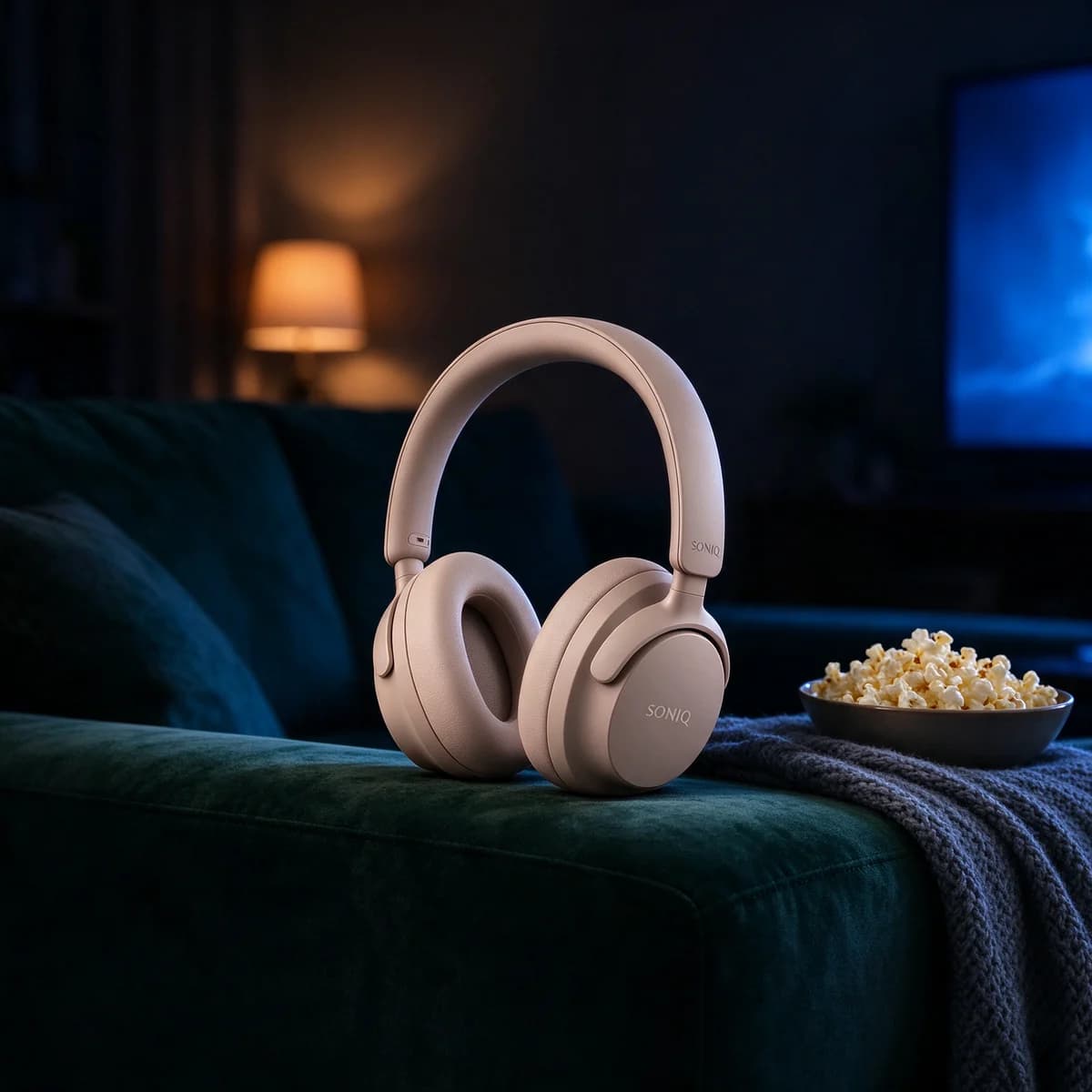
| Sofa headphones | 11pm | Cool TV glow and a warm lamp | 50mm | Someone watching late while the house sleeps |
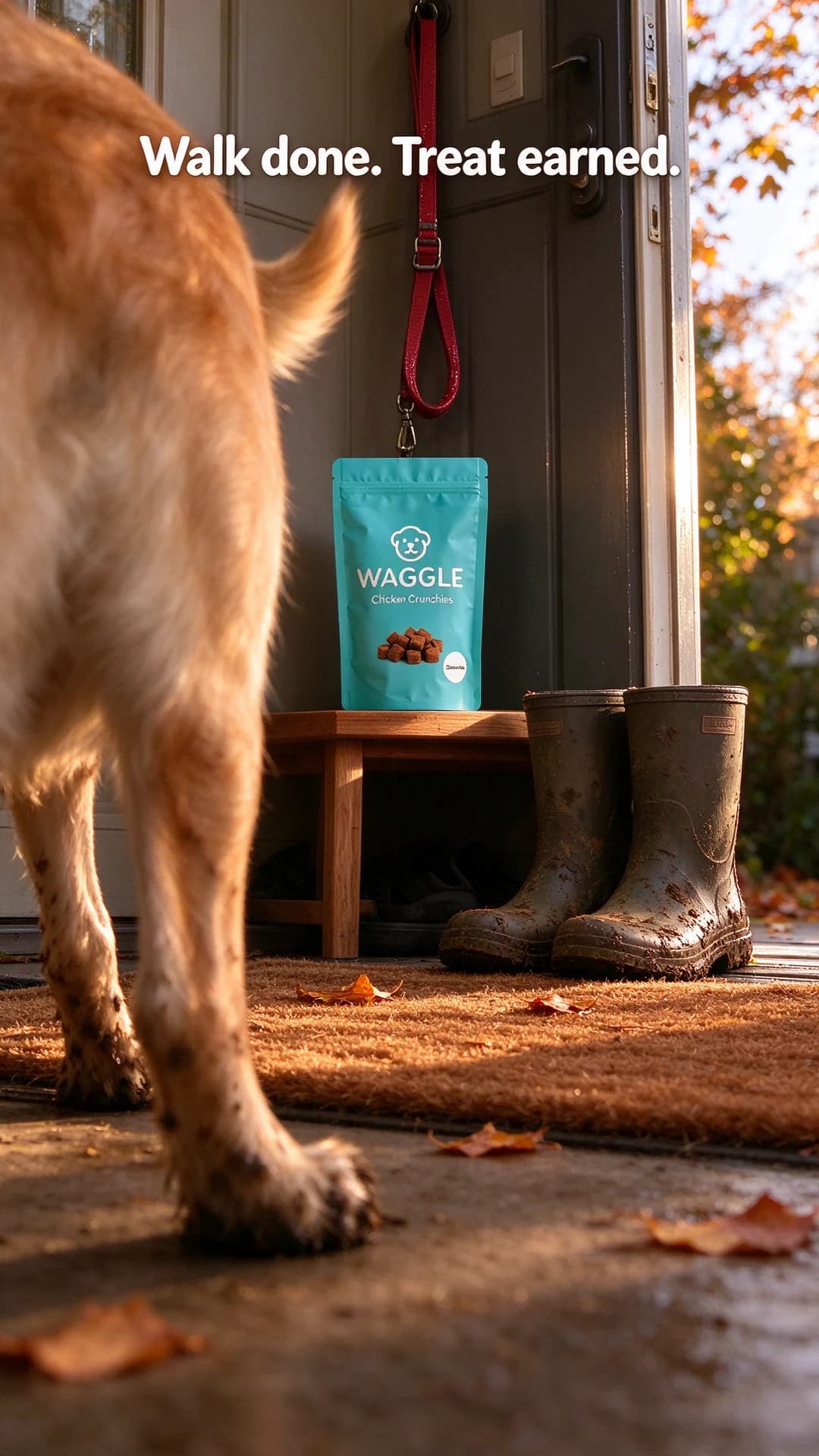
| Dog-walk treats | Late autumn afternoon | Low sun through an open door | 28mm | A dog owner just back from a muddy walk |
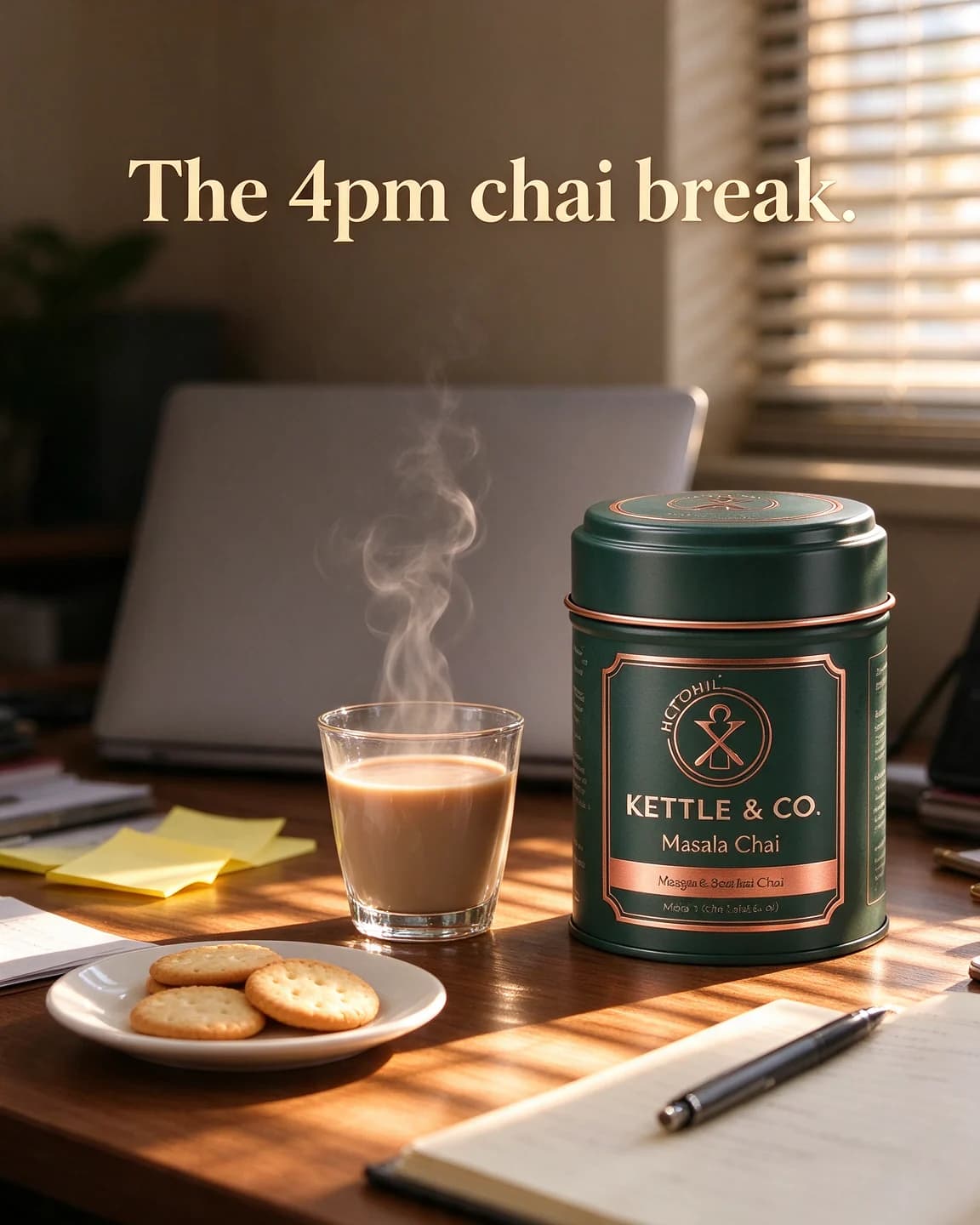
| Desk chai | 4pm | Sun through half-open blinds | 50mm | An office worker taking a short break |
Read across a row and you have the brief for a whole scene. Change one cell at a time when a result misses, so you know which change fixed it.
Clean photos and finished ads
The first two prompts make photos with no text at all, and a clean lifestyle photo is worth more than one ad. You can put it under a headline in a lifestyle template, use it as the picture in a social post layout or crop it for a Story. The dog-walk and chai prompts show the other route, with the headline rendered into the image so the ad is finished in one step. For a Story, check the crop with the safe zone checker before the headline goes anywhere near the edges.
There is a cost difference too. Say a half-day lifestyle shoot costs you $258 and gives you eight usable photos. That works out at about $32 a photo, all in one room and one light. A prompted scene can move a product from a campsite to a sofa to a desk in an afternoon. It won't replace a shoot when you need real people using the product, but it fills the gaps between shoots. Our lifestyle shot entry covers when each kind earns its place, and the cost per ad creative guide runs the numbers for a whole month of ads.
Keeping the product steady in a busy scene
The more a scene holds, the more the model is tempted to redraw the product to fit it. At a campsite a coffee bag can grow to the size of the tent, on a dark sofa beige headphones can turn grey, and in low golden sun a teal pouch can drift towards green. Starting from a packshot, and opening the prompt with the instruction to keep it unchanged, holds the product steady while everything around it moves.
Scale and light still need help. Give the model a size comparison when it matters, such as "about twice the height of the mugs", say how the product itself is lit when the scene is dark or backlit, and reject results where the product is the wrong size for its props.
How BulkAds makes lifestyle ads without prompting
In BulkAds the moment comes from your brand, not from a prompt you write. The brand kit holds your products, their photos and the way your brand talks, and a batch can mix lifestyle scenes with offers, bold claims and UGC-style images. If you already know the moment you want, type it as an instruction, such as "late night, sofa, cosy, no people", and the batch follows it.
Every ad keeps your real product photo at its centre and is checked against it before you see it. A batch holds up to 12 ads in 1:1, 4:5 or 9:16, and each image ad uses 2 credits. When Autopilot marks a lifestyle ad as a winner in one of its tests, it drafts four fresh variants of it, and lifestyle photos from your own shoots can be uploaded and launched as they are, with the copy you add.
Questions people ask
What is the difference between a lifestyle photo and a packshot?
A packshot shows the product alone, usually on white, so people can see exactly what it is. A lifestyle photo shows it in use, in a real place and light, so people can picture owning it. Most ads need both: the packshot as the reference and the lifestyle shot as the ad.
Can AI lifestyle photos replace a photo shoot?
For product-in-scene shots, often yes, as long as you start from a real photo of the product and check every result. For people using the product, clothing on a body or anything a customer will treat as proof, a real shoot is still the honest choice.
Why is my product the wrong size in the scene?
The model sizes the product to fit the props it imagines. Add a comparison to the prompt, such as about twice the height of the mugs, keep the props few and regenerate when the scale looks off.
Should lifestyle product photos include people?
A hand pouring, an arm reaching in or a person seen from behind adds life without an identifiable face, and a pet's paws can do the same job. Whole people in frame make the product smaller and give the model more to get wrong, so use them only when the person is the point.
How do I adapt a lifestyle prompt for Stories?
Set the ratio to 9:16, place the product in the middle of the frame and keep the bottom fifth free of text and important detail, as the dog-walk prompt does. The free safe zone checker shows which parts of a Story the interface covers.
Why does my product look grey or flat in a dark scene?
Dim or mixed light takes the colour out of pale products first. Name a second, warm light source near the product, such as a table lamp, or ask for soft fill light on its front, and compare the colour with your packshot before you use the image.
Keep going
- Features
Product photo ads
Your real packshot, in every scene
- Ad templates
Lifestyle ad template
Your product in the real moment someone reaches for it
- Prompt library
White background product prompts
Four white background product prompts with outputs: two text-only packshots, a reflection shot from a real photo and a white ad with a headline. Copy and adapt.
- Prompt library
Background replacement prompts
Four background replacement prompts that move a white-background packshot into a kitchen, a balcony, a bedroom and a café, with the outputs and notes on each.
- Prompt library
UGC-style ad prompts
Four UGC-style AI image prompts with their outputs: phone framing, flash, clutter and captions, plus where the honesty line sits for AI photos of customers.
- Glossary
Lifestyle shot
A lifestyle shot shows a product being used, or simply present, in a real-looking setting, often with people. Where a packshot shows what the product is, a lifestyle shot shows where it fits in the buyer's day.
Every image on this page was made with AI from the prompt beside it. Model names are the ones BulkAds used, and results vary from run to run.
BulkAds AI is an independent product and is not affiliated with, endorsed or sponsored by Meta Platforms, Inc. Facebook and Instagram are trademarks of Meta Platforms, Inc.