What a flat lay prompt has to say
Most product prompts describe a scene the camera looks into. A flat lay is closer to a map: everything sits on one surface and the camera points straight down, so the prompt describes positions rather than depth. Three phrases carry that. "Seen from directly above", "straight top-down camera" and "no perspective tilt" each push the model the same way, and leaving them out often gets you a three-quarter tabletop shot instead.
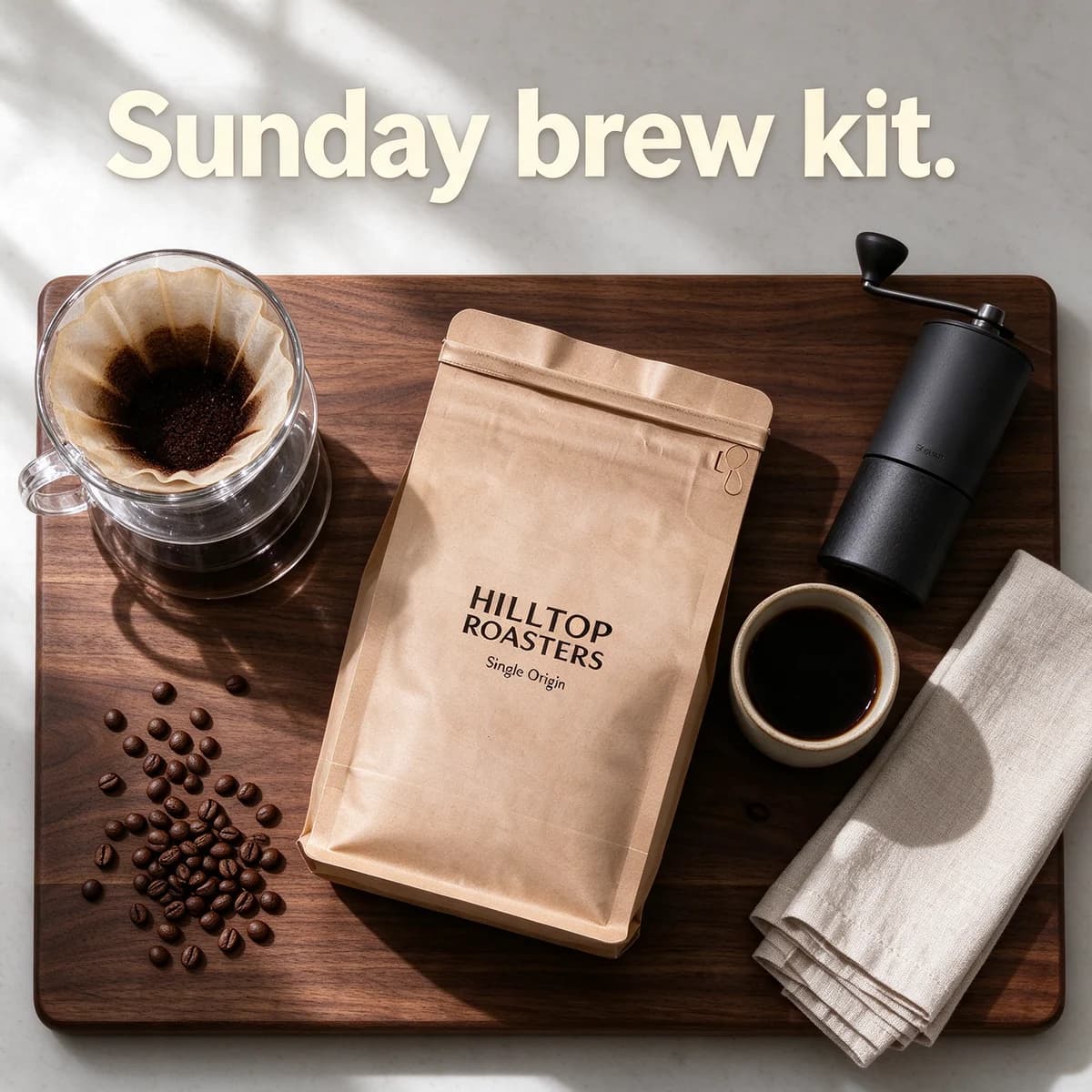
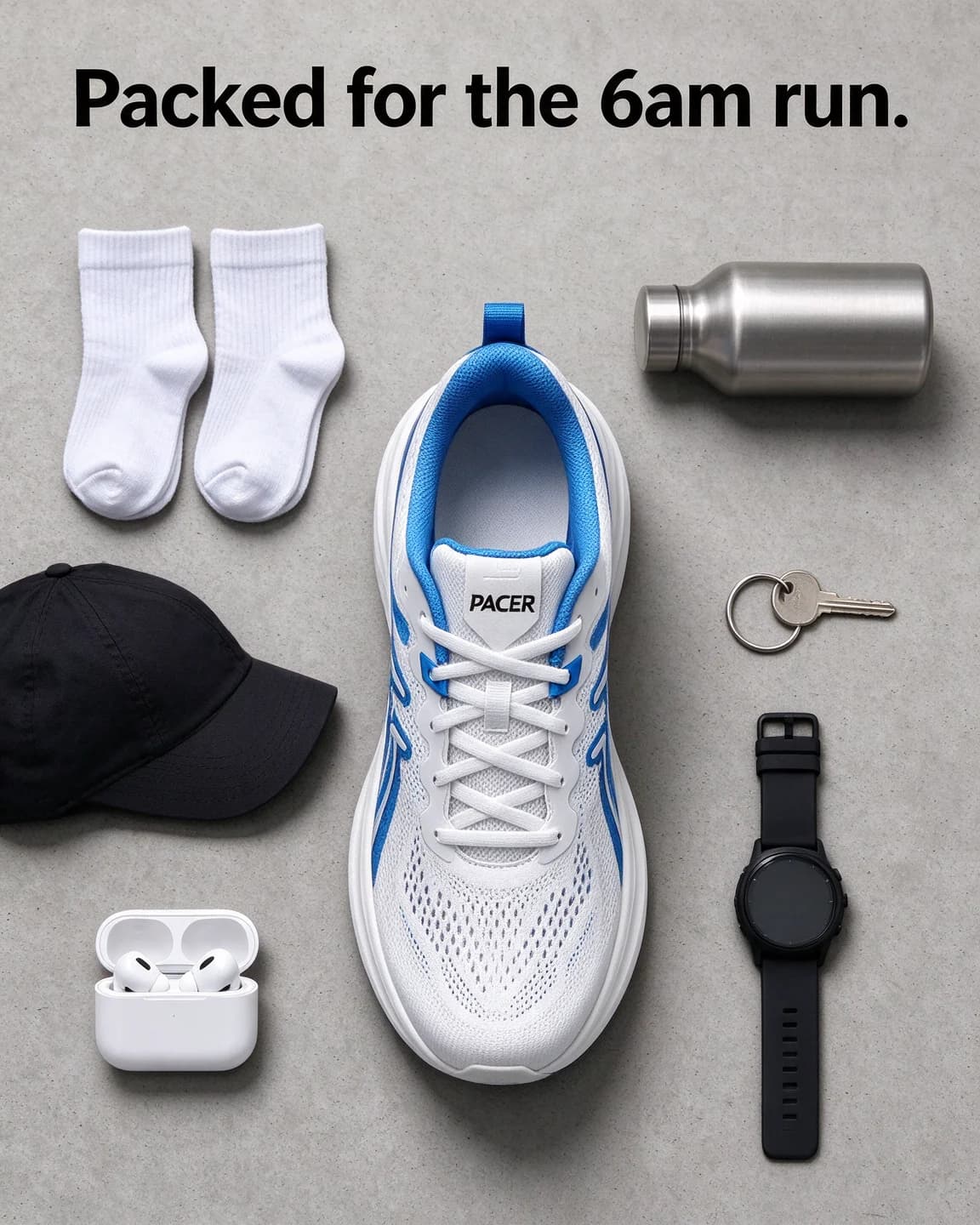
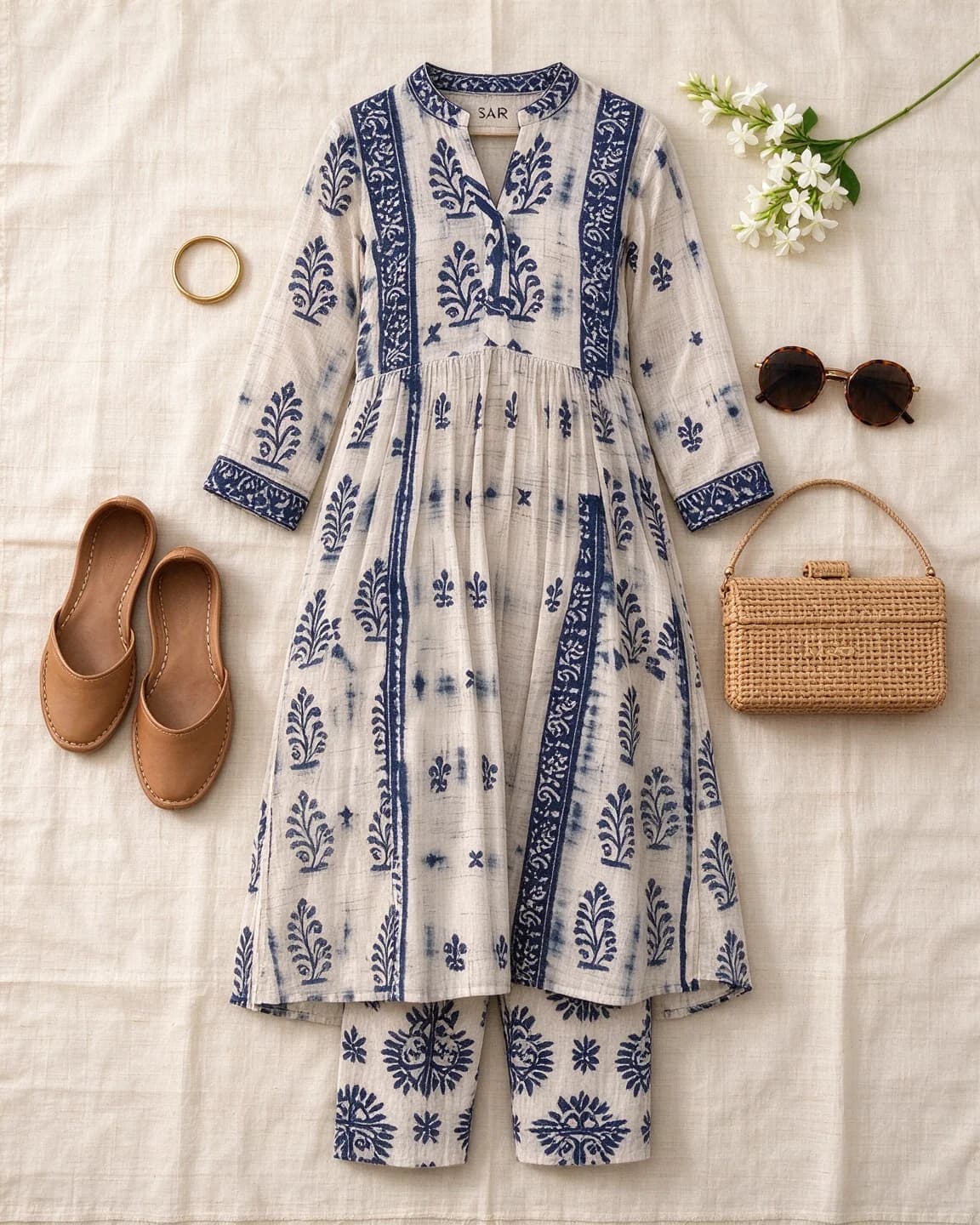
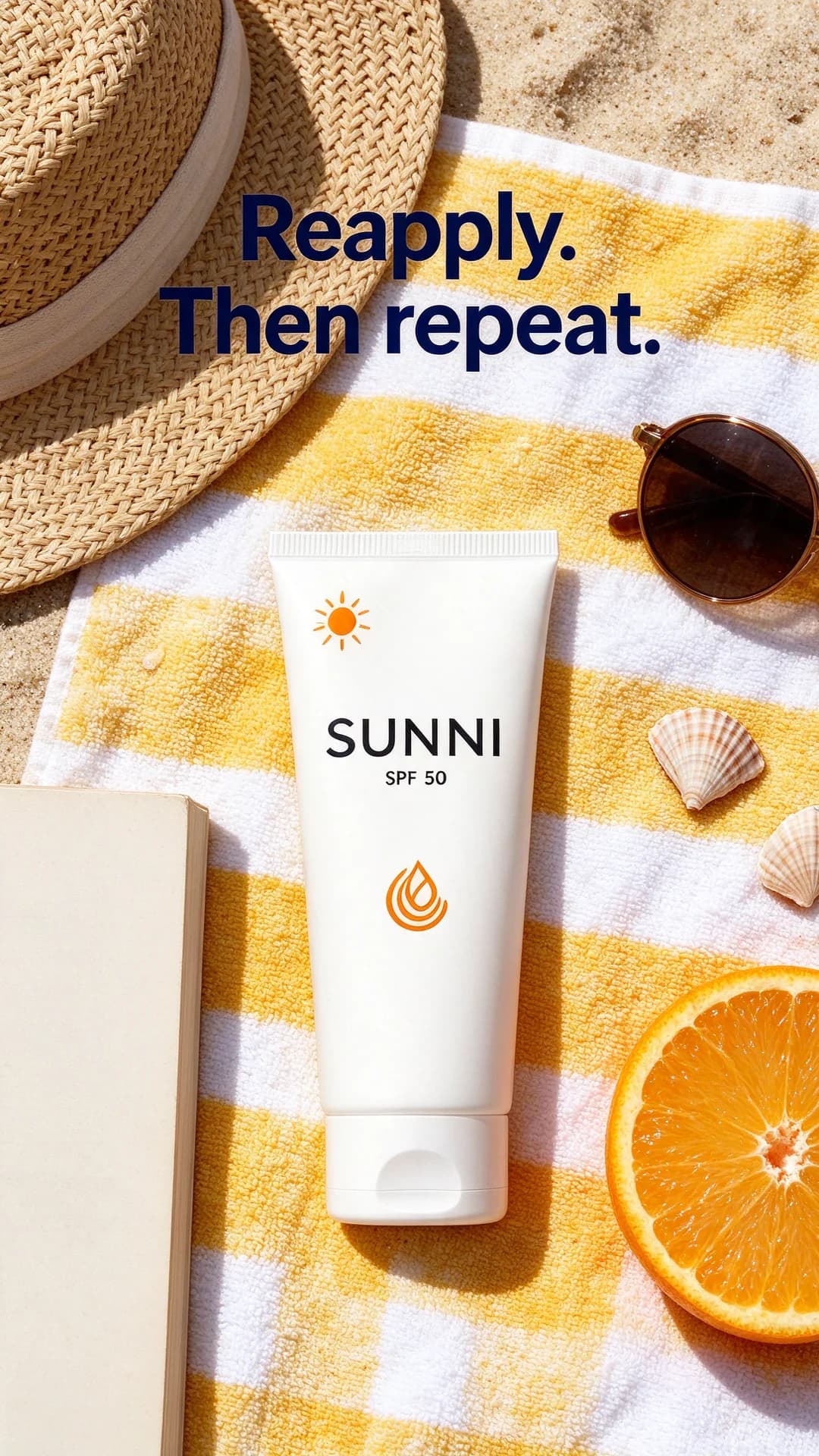
The product has to be told how to lie, too. A bottle that stands upright shows its label to a camera at eye level, but from above it shows only its cap. That's why every prompt on this page states the pose: the coffee bag on its back, the sunscreen flat on the towel, the kurta laid out smooth, the shoe standing so its tongue faces up. If the format is new to you, the flat lay entry in the glossary covers the basics.
Props tell the story
Props in a flat lay aren't filler. They tell the viewer when the product gets used, so take them all from one moment and name each one. "Coffee accessories" gives you a generic café. "A glass pour-over dripper, a small hand grinder, a ceramic cup" gives you a slow Sunday at home. Five or six named props fill a 1:1 or 4:5 frame. Add more and the product shrinks until its label is hard to read at feed size.
Then choose how they're arranged, because "arranged around it" means something new on every run:
- Loose or scattered suits food, beach and lifestyle scenes.
- Knolling, a neat grid with right angles and equal gaps, suits kit, tools and travel.
- Framing, with props placed at the edges, suits clothing, where they mark the outline of the garment.
Ask for unbranded versions of anything that usually carries a logo, such as earbuds, books or water bottles. Otherwise the model may print a made-up brand right beside yours.
Prop sets to start from
The four prompts on this page cover coffee, running, clothing and sun care. For other products, swap the bracketed prop list for a set taken from the moment the product gets used:
| Product | Surface | Props from one moment | Arrangement |
|---|---|---|---|
| Loose-leaf tea | Pale linen | A glass teapot, a bamboo strainer, two biscuits on a saucer, a small open tin of leaves | Loose |
| Nail polish | Blush-pink card | A plain nail file, two cotton pads, a silk scrunchie, a single peony | Framing |
| Notebook or planner | White oak desk | A fountain pen, a row of plain sticky tabs, a brass paper clip, a mug of tea | Grid |
| Baby romper | White waffle blanket | Knitted booties, a wooden rattle, a folded muslin square, a small plush rabbit | Framing |
| Spice blend | Dark slate | Small piles of the whole spices inside it, a stone mortar, two bay leaves, a wooden spoon | Loose |
Each row stays at four props, under the ceiling of five or six, so there's room for a headline strip and the product stays large enough for its label to read at phone size.
Light, shadows and room for words
In a flat lay, shadows are the only depth cue. Name the light and its direction once ("soft window light from the top left") and every prop's shadow falls the same way. Hard midday sun suits summer products. Flat, almost shadowless light suits garments and catalogue images.
Ask for the empty space by name as well. "Clear empty board at the top" is what gave the Hilltop headline somewhere to sit. Without it, text lands on a prop or gets squeezed into a corner. When the ad has no headline, end with "No text anywhere" so the model doesn't add stray words to the props.
Why the packshot goes in as a reference
A text-only prompt invents a product that looks right at a glance and wrong up close: a kraft bag with a different seam, a tube with a logo nobody designed. With an edit model and your packshot as the reference image, shape, label and colours come from your photo, and the prompt only builds the world around it. The opening sentence of each prompt, "Keep exactly the same ... completely unchanged", tells the model which part of the picture is fixed.
Match the reference to the pose
An edit model copies what it can see in the reference. The Hilltop bag and Sunni tube packshots are front views, so laying them on their backs only asks the model to tip a flat label towards the camera. The Pacer shoe is different. Its packshot is a side view, so the knolling prompt asks the model to work out the top of the shoe, the laces and the angle of the tongue, and that's where drift creeps in. If flat lays will be a regular format for you, take one reference photo from straight above as well as the usual front shot, and use the overhead one for prompts like these.
Shape is the other limit. Over-ear headphones turn into a ring from above and a tall bottle becomes a cap, so for products whose outline is the selling point, keep the flat lay as one image in a set and let a three-quarter shot carry the hero.
For real shoots, our guide to flat lay product photography covers overhead rigs, light and which products suit the format, and the flat lay ad template shows the layout as a live mock-up you can edit.
Flat lays in BulkAds, without the prompt writing
In BulkAds you don't type any of this. You pick a product from your brand kit, and each ad in a batch gets its own written concept: scene, composition, light, mood, props and the on-image text. The prompt is built from that concept with your brand colours for backgrounds and accents, and your real product photo goes in as the reference. To steer a batch towards flat lays, say so in the instructions, for example "top-down flat lays on dark wood, brewing props, short headline at the top". Each image ad uses 2 credits, and before you see it a check compares the product with your photo and reads every word on the image.
Questions people ask
What is a flat lay prompt?
It's an image prompt for a product photo taken from straight above, with the product and a few props arranged on one flat surface. A good one names the top-down camera, how the product lies so its label faces up, every prop, how the props are arranged and where the light comes from.
Why does my AI flat lay come out at an angle?
Usually because the prompt says "flat lay" but never describes the camera. Add "seen from directly above", "straight top-down camera" and "no perspective tilt". If the product still looks tilted, say how it lies, for example on its back with the label facing up.
Can I write a flat lay prompt without a product photo?
You can, but a text-only model will invent the packaging, so the product in the ad won't be the one you ship. Use an edit model with a clean photo of your real product as the reference, and let the prompt handle the scene.
How many props should a flat lay prompt name?
Five or six is a good ceiling for a square or 4:5 image. Fewer looks bare unless the style is minimal on purpose. More shrinks the product until its label is hard to read on a phone.
Are Hilltop Roasters, Pacer, Saar and Sunni real brands?
No. They're fictional brands we use to show the prompts, and every image on this page was made with AI.
Keep going
- Guides
Flat lay product photography: top-down photos that work as ads
How to shoot straight down without distortion, light a flat lay from one side, pick a layout that leaves room for a headline, and turn a packshot into flat lays with AI.
- Guides
Product photography for ads: how to shoot it on a phone
A phone, a window and a sheet of white card are enough. How to shoot product photos that make good ads — and that AI tools can put in new scenes without mangling your label.
- Ad templates
Flat lay ad template
The product from straight above, with the few things that tell its story
- Prompt library
Lifestyle product photo prompts
Four lifestyle product photo prompts and their images: coffee at a dawn campsite, headphones on a late-night sofa, a dog-walk Story and a 4pm chai break.
- Prompt library
White background product prompts
Four white background product prompts with outputs: two text-only packshots, a reflection shot from a real photo and a white ad with a headline. Copy and adapt.
- Glossary
Flat lay
A flat lay is a photo taken from directly above of a product and a few chosen objects arranged on a flat surface. In ads it shows what is inside, what goes with the product or what a kit contains, all in one tidy picture.
Every image on this page was made with AI from the prompt beside it. Model names are the ones BulkAds used, and results vary from run to run.
BulkAds AI is an independent product and is not affiliated with, endorsed or sponsored by Meta Platforms, Inc. Facebook and Instagram are trademarks of Meta Platforms, Inc.