Words in the picture, or words beside it
An image ad can carry words in two places: on the picture itself, and in the text fields around it. They do different jobs. The words on the picture are part of the scroll-stopper and get read in the same second as the image. The text fields carry the detail, and they can be edited or translated without touching the picture. Every prompt on this page is about the first kind.
Letting the model set the headline gives you one finished image where the type and the photo were made together, so the words sit in the light and the space of the scene instead of floating over it. The cost is risk. A model can drop a letter, double a word or trip on an apostrophe, and every new language or new offer means a new image. If you need the same picture in five languages, a clean image with a text overlay set by hand is the safer route.
How to write a headline into an image prompt
- Quote it exactly. Put the words in quotes after "reading exactly" or "with the text", so the model copies rather than paraphrases.
- Keep it short. Two to seven words. Split anything longer into a big line and a small one, or move it to the ad's primary text.
- Give it a place. Upper third, a box across the top, a chalkboard on the wall. Words without a place land wherever the model likes.
- Give it a quiet background. Sky, sand, a plain wall or a solid box. Text over stripes, leaves or busy patterns is hard to read and harder for the model to set.
- Describe the type. Heavy sans-serif, elegant serif, neat chalk capitals, in a colour that contrasts with what is behind it.
- Ban stray words. "No other text", "no readable signs" and "no logos" keep the model from filling the scene with words you didn't ask for.
Four layouts, from safest to boldest
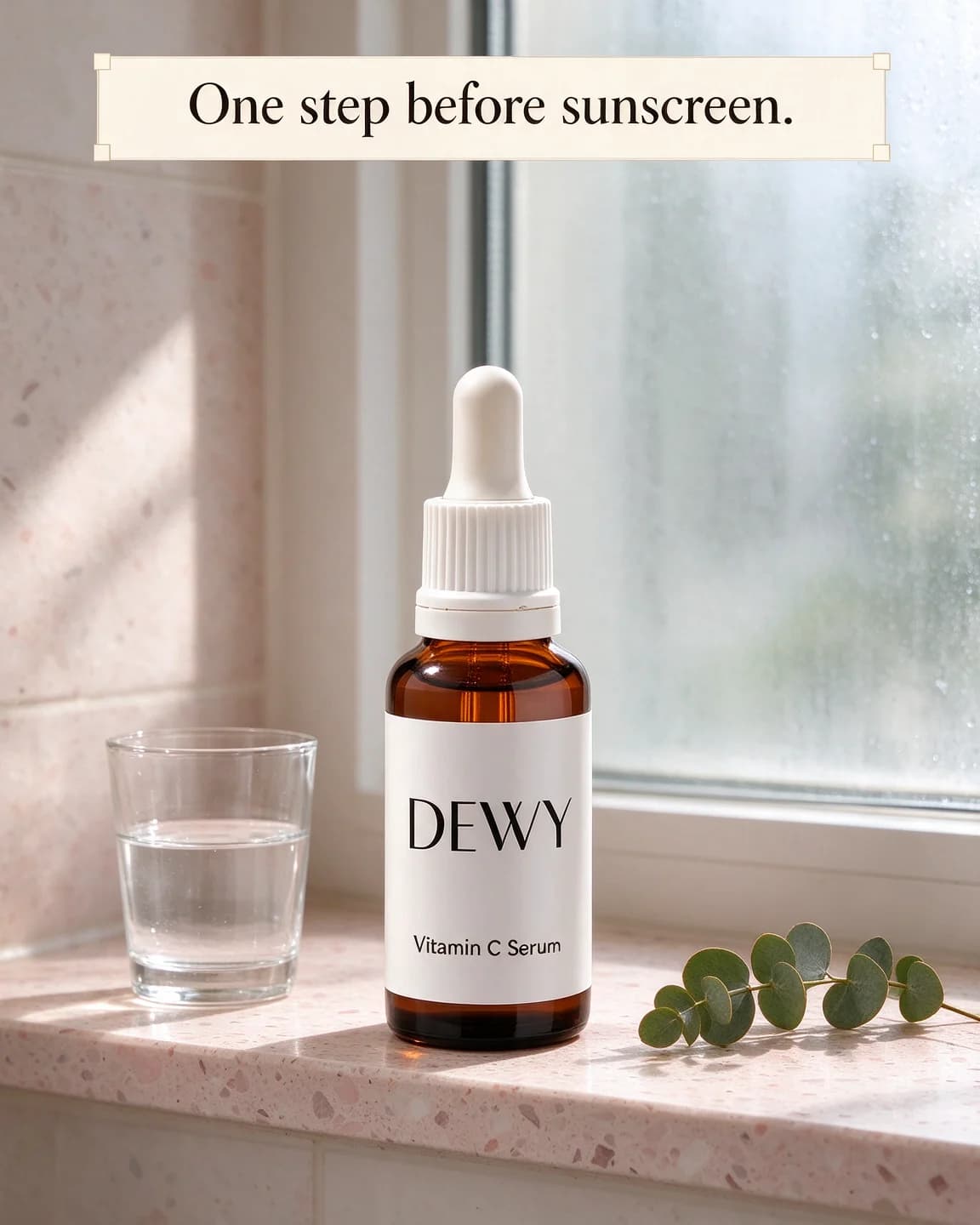
- A solid box. The DEWY prompt puts the headline in a cream band across the top. The type never fights the photo, though the result looks more like an ad.
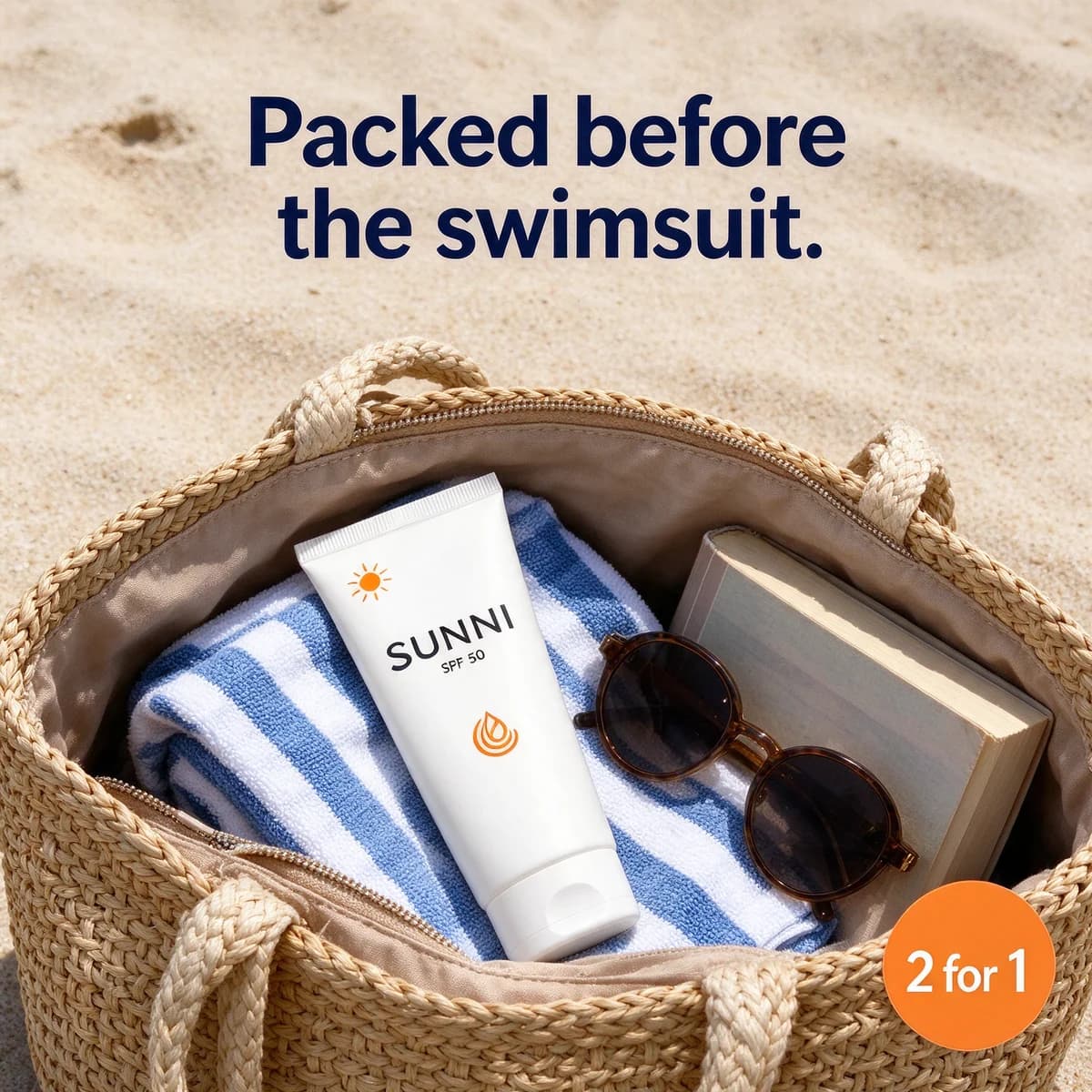
- Words on clear space. The SUNNI prompt keeps the top third of the frame as plain sand for the headline and tucks the offer into a corner.
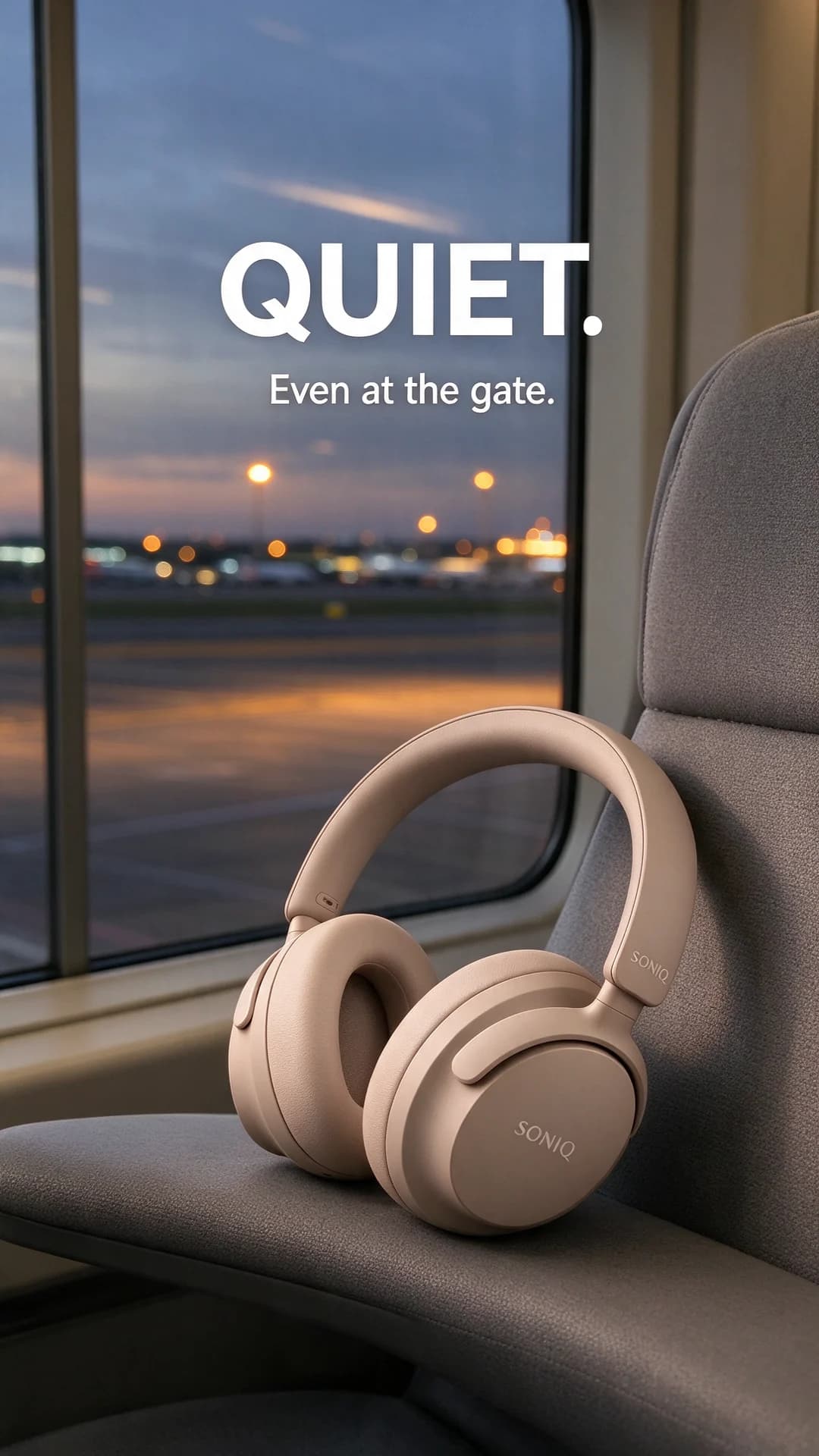
- Two sizes. The SONIQ prompt splits one thought into a huge word and a small line, which gives the eye a reading order.
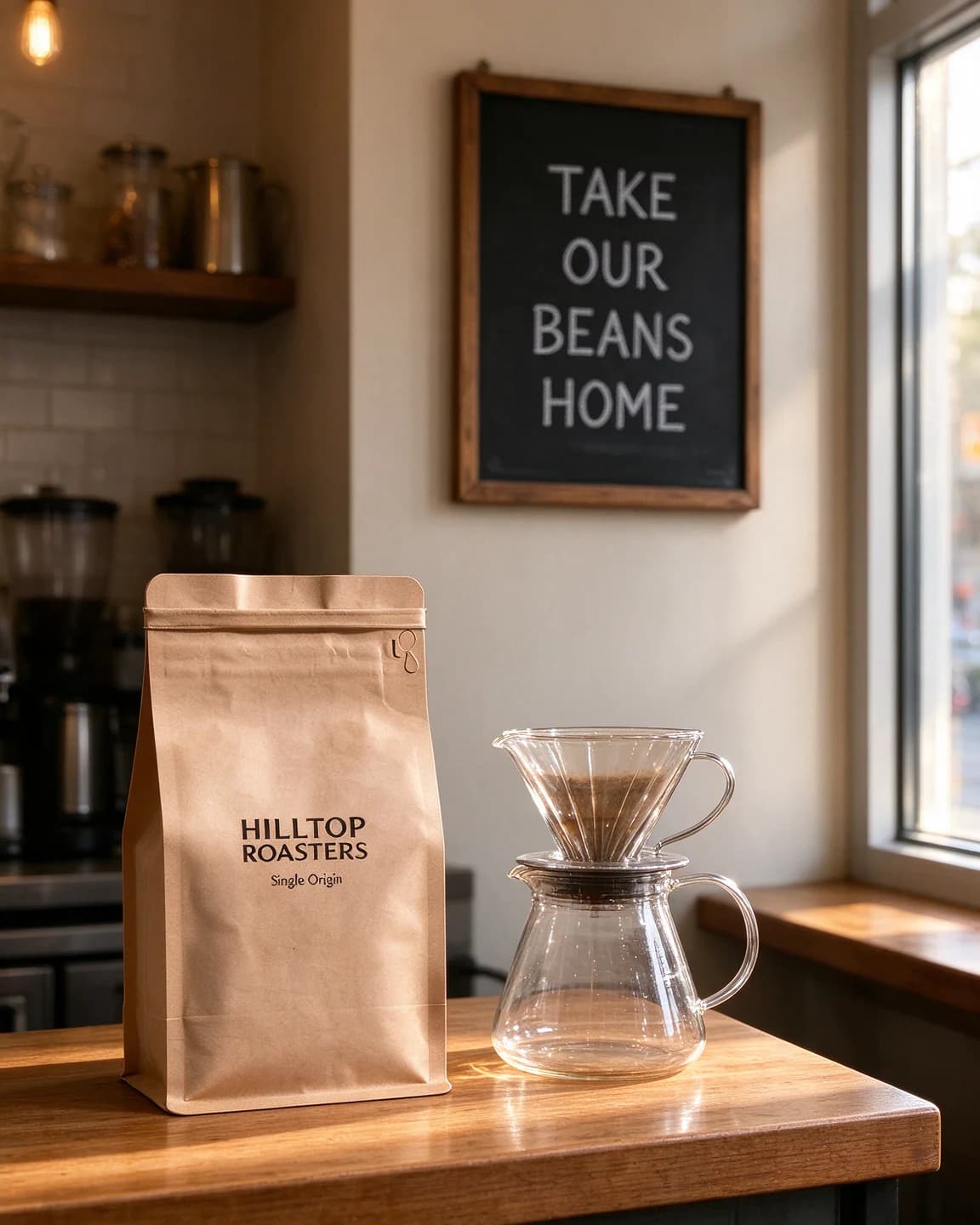
- Words on an object. The HILLTOP ROASTERS prompt writes the line on a café chalkboard, so it reads as part of the photo. It is the most natural look and the likeliest to come back misspelled.
Label text and headline text are not the same
Every image on this page holds two kinds of words: the ones printed on the product and the headline you asked for. The first come from the reference photo, the second from the prompt, and a model can mix them up. It might restyle the label to match the headline font, or print the headline on the pack. The keep sentence at the start of each prompt is there to stop that, which is why it names the label words in quotes. Check both kinds of text in every output: the label against your packshot, the headline against your prompt.
Proofread it like a sub-editor
The eye fixes typos it expects to see, so a misspelt headline can pass three readers in a row. Go through each output in this order before it goes anywhere near an ad:
- Read the headline backwards, word by word. "home beans our take" can't be skimmed, so a missing letter in BEANS shows up.
- Check punctuation as its own pass. The full stops in "QUIET." and "One step before sunscreen." are easy to lose, and a question mark can come back as a full stop.
- Read numbers and offers twice. A sticker that says "2 for 1" must not turn into "2 for 11" or "241". An offer that prints wrong is a promise you didn't make.
- Look at doubled letters. A word like "sunscreen" in the DEWY box has a double e, and a doubled letter is an easy place for one to go missing or for a third to appear.
- Compare the pack with the packshot. Brand name, product name and any claim on the label, letter for letter.
- Get a native reader for other scripts. A Hindi or Tamil headline needs someone who reads it, because a wrong letter shape or a broken join is invisible to everyone else.
Anything that fails goes back for another run or gets the "No text anywhere" treatment, with the words set by hand.
Headlines on images in BulkAds
In BulkAds you don't write the type into a prompt. Each ad in a batch comes with its on-image text set in your brand kit's fonts and colours, plus its own headline, primary text and description from the ad copy generator, in any of 95+ languages. Before you see an ad, a pre-flight check reads every word on the image and flags missing words, misspellings and gibberish. If one headline is slightly off, you can regenerate just that element instead of the whole ad. Each image ad uses 2 credits. For 9:16 Stories and Reels, the free safe zone checker shows where on-image words stay clear of the app's buttons.
Questions people ask
Can AI image models spell ad headlines correctly?
Often, but not every time. A short headline in a plain, bold font gives the model the least to get wrong, while long lines, small type and hand lettering give it the most. Read every output at full size before you use it, and run the prompt again when a letter slips.
How long should the headline on an ad image be?
We keep on-image headlines to two to seven words in these prompts. That is short enough to read in a glance and short enough for the model to spell. Anything longer belongs in the ad's primary text.
Should the headline go in the image or in the ad's text fields?
Usually both, saying different things. The words on the image stop the scroll. The text fields explain, and they can be edited or translated without making a new image.
What do I do when the model misspells a word?
Run the prompt again first, since spelling varies from run to run. If it keeps slipping, shorten the line or ask for a plainer font. As a fallback, run the same prompt with "No text anywhere" and set the headline yourself.
Does BulkAds check the words on its ad images?
Yes. A pre-flight check reads the on-image text of every ad and flags missing words, misspellings and gibberish before the ad reaches you.
Keep going
- Features
AI ad generator
On-brand image ads in batches of up to 12
- Features
Ad copy generator
Headlines and primary text in 95+ languages
- Free tools
Ad headline generator
Headline ideas in seven styles from your product, benefit and audience
- Free tools
Reels & Stories safe zone checker
See what Reels, Stories and feed crops may cover on your ad
- Prompt library
Studio color backdrop prompts
Four studio color backdrop prompts with outputs: a tonal teal set, a two-tone Story, a dark wrapper on bright paper and a window shadow, with notes on each.
- Glossary
Text overlay
A text overlay is any wording placed on top of an ad's image or video, such as a headline, price, badge or caption. It lets the creative make its point before anyone reads the copy around it.
Every image on this page was made with AI from the prompt beside it. Model names are the ones BulkAds used, and results vary from run to run.
BulkAds AI is an independent product and is not affiliated with, endorsed or sponsored by Meta Platforms, Inc. Facebook and Instagram are trademarks of Meta Platforms, Inc.